AI Canvas - AI Image Generator1.9.4
Publisher Description

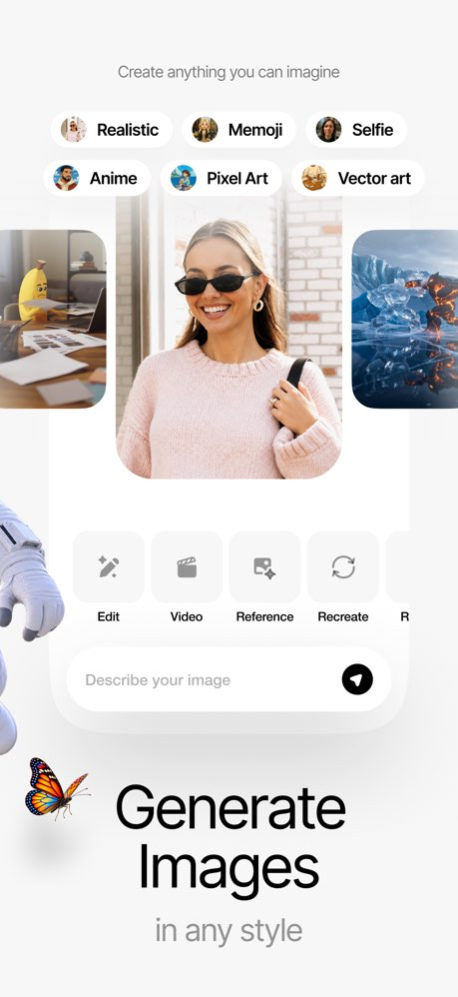

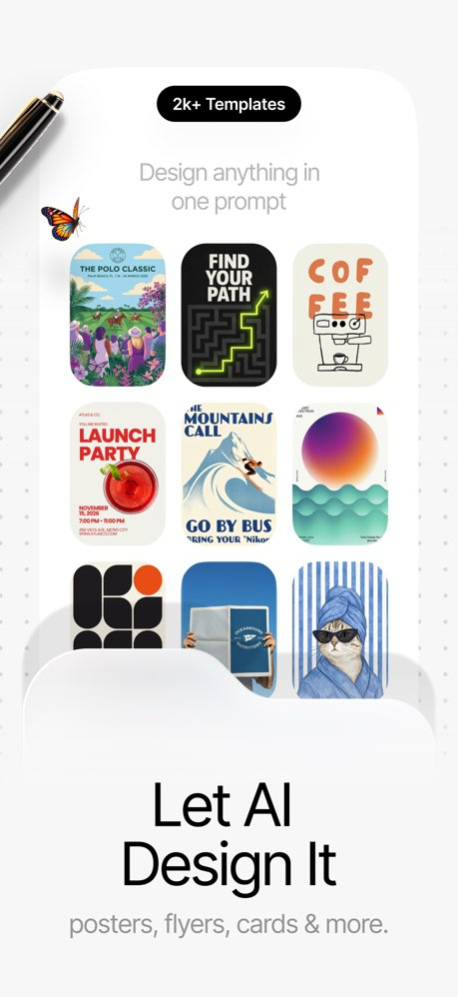
AI Canvas - Your All-in-One AI Image & Video Creation Studio
From wild ideas to polished visuals, AI Canvas is your ultimate creative partner. Powered by the world's best AI models, generate, design, and edit everything from photos to videos in one seamless experience.
Create cinematic videos from text or images, transform selfies into any style, design logos and posters, clone voices, compose music-all with just a few taps.
CREATE ANYTHING
. Text to Image - Describe it, watch AI bring it to life
. Image to Image - Transform photos into stunning new styles
. Text & Image to Video - Turn imagination into cinematic motion
. Start & End Frame Video - Morph between two keyframes
. Reference to Video - Use up to 9 images to guide generation
. Extend Video - Add seconds to any clip
. Video Composer - Combine multiple clips into one story
EDIT SMARTER WITH AI
. Remove Backgrounds (image & video)
. Erase & Inpaint - Replace anything you select
. Reframe, Recolor, Restyle, Retouch, Restore
. Remove Text & Objects from video
. Change Face, Character, Outfit, Hairstyle, Makeup
. Lip Sync, Video Translate, Video Subtitles
. Image & Video Upscale (up to 4K / 8K)
CINEMATIC VIDEO TRANSITIONS
Whip Pan . Morph . Flying Cam . Spin . Timelapse . Flames . Stand Up & Walk . Shoulder Tap Reveal
AUDIO STUDIO
Create Music . AI Voiceover . Voice Clone . Voice Changer . Sound Effects
DESIGN ANYTHING
Logos . Posters . T-Shirts . Tattoos . Stickers . Memes . Book Covers . Album Covers . Wallpapers . Icons . Emojis . Patterns . Cards & Invites . Interior & Exterior Design . Instagram Posts & Stories . YouTube Thumbnails . Infographics . Flyers . Slides . Branding Kits
TURN YOUR PHOTOS INTO ANYTHING
. Cartoonize selfies into cartoons, anime, chibi & 3D characters
. AI Avatar & AI Headshot - professional profile pics in seconds
. AI Portrait Generator - studio-quality portraits in any style
. Photo to Painting - oil, watercolor, sketch, comic book
. Figurine & Toy Maker - 3D figure, collectible, plush, claymation
. Retro Filters - 80s, 90s, film grain, polaroid, VHS
. Fantasy & Sci-Fi - cyberpunk, futuristic, medieval
. Papercraft, Voxel, Pixel Art, 8-bit & 16-bit
. Cultural Art - mosaic, woodblock, stained glass, tapestry
EVERYTHING YOU CAN CREATE
AI photo editor . AI video generator . AI art maker . selfie to cartoon . photo to video . talking photo . lip sync video . AI reels maker . AI meme maker . AI sticker maker . AI logo maker . AI poster maker . AI thumbnail maker . AI headshot . AI profile picture . AI wallpaper maker . photo enhancer . HD upscaler . 4K video upscale . 8K image upscale . photo restoration . old photo colorizer . background remover . object eraser . face swap . hair changer . outfit changer . AI makeup . AI ad generator . product photo AI . pet portrait AI . AI tattoo designer . AI interior designer
POWERED BY THE WORLD'S BEST AI MODELS
Image: Nano Banana 2 & Pro . Flux 2 Pro / Max / Klein . GPT Image 1.5 . Grok Imagine . Seedream 5 . Recraft V4 Pro . Qwen Image 2.0 . Wan 2.7 . Stable Diffusion 3.5 . SDXL . Hunyuan Image 3 . HiDream
Video: Sora 2 Pro . Veo 3.1 . Kling v3 Pro . Seedance 2.0 . MiniMax Hailuo 2.3 . PixVerse v6 . LTX 2.3 . Wan 2.6 . Luma Dream Machine . Vidu Q1 . Marey Realism . Hunyuan Video
Upscalers: Topaz . Recraft . SeedVR . Clarity . FlashVSR . Bria 8K
MADE FOR
Content creators . social media managers . short-form video creators . digital artists . designers . marketers . e-commerce sellers
Download AI Canvas now and experience the future of design, art, and video-powered by AI, packed into one app.
-----------------
Terms: https://usecanvas.ai/terms
Privacy: https://usecanvas.ai/privacy
Support: https://usecanvas.ai/support
Version History Thank you for your feedback! New in this release:
• Smooth sailing ahead, we squashed some pesky bugs for an even more reliable experience.
Enjoy using AI Canvas? Please take a moment to rate us on the App Store!
Have an awesome day! 1.9.4 Sep 7 Thank you for your feedback! New in this release:
• Smooth sailing ahead, we squashed some pesky bugs for an even more reliable experience.
Enjoy using AI Canvas? Please take a moment to rate us on the App Store!
Have an awesome day! 1.9.3 Aug 29 Thank you for your feedback! New in this release:
• Smooth sailing ahead, we squashed some pesky bugs for an even more reliable experience.
Enjoy using AI Canvas? Please take a moment to rate us on the App Store!
Have an awesome day! 1.9.2 Aug 17 Thank you for your feedback! New in this release:
• Smooth sailing ahead, we squashed some pesky bugs for an even more reliable experience.
Enjoy using AI Canvas? Please take a moment to rate us on the App Store!
Have an awesome day! 1.9.1 Jul 31 Thank you for your feedback! New in this release:
• Meet the AI Canvas Agent — tell it what you want ("build a brand kit for my business") and watch it plan, create, and deliver.
• Performance improvements across the app — everything is faster and smoother.
• Smooth sailing ahead, we squashed some pesky bugs for an even more reliable experience.
Enjoy using AI Canvas? Please take a moment to rate us on the App Store!
Have an awesome day! 1.9.0 Jul 14 Thank you for your feedback! New in this release:
• New World Cup presets — step into the tournament
• New Caught on TV presets — get spotted on the broadcast
• Smooth sailing ahead, we squashed some pesky bugs for an even reliable experience.
Enjoy using AI Canvas? Please take a moment to rate us on the App Store!
Have an awesome day! 1.8.3 Jun 5 Thank you for your feedback! New in this release:
• Reframe, Change Text, Add Text, Recolor, Restyle, and Mockups now run on a faster, sharper model for cleaner, more reliable edits.
• Reframe adds new aspect ratios, including 21:9 and 9:21.
• Multi-select in History with batch save and batch delete.
• Swipe left/right to flip through history items in image, video, create, and template detail views.
• Image info screen now shows mockup reference images, style names, and clearer template labels.
• New Recreate button on image-edit tools for one-tap retries.
• Video and image templates improvements.
• Smooth sailing ahead, we squashed some pesky bugs for an even reliable experience.
Enjoy using AI Canvas? Please take a moment to rate us on the App Store!
Have an awesome day! 1.8.2 May 11 Thank you for your feedback! New in this release:
• New GPT Image 2 effects and templates
• Performance updates for a smoother experience
• Smooth sailing ahead, we squashed some pesky bugs for an even reliable experience.
Enjoy using AI Canvas? Please take a moment to rate us on the App Store!
Have an awesome day! 1.8.1 Apr 29 Thank you for your feedback! New in this release:
• New Model — GPT Image 2, a next-generation image model
• Performance updates for a smoother experience
• Smooth sailing ahead, we squashed some pesky bugs for an even reliable experience.
Enjoy using AI Canvas? Please take a moment to rate us on the App Store!
Have an awesome day! 1.8.0 Apr 23 Thank you for your feedback! New in this release:
• New Effects Group — AI Photo Booth
• New Effects Group — Image Apps
• New Effects Group — Sports Mode
• New Effects — AI Filters
• New Effects — Video Effects
• Design Templates now support using reference images
• Image Templates now support using reference images
• Design Styles updates
• New Design Template Categories — Instagram Post, Instagram Story, Infographic, Flyer, Slide, Branding, and YouTube Thumbnail
• Performance updates for a smoother experience
• Smooth sailing ahead, we squashed some pesky bugs for an even reliable experience.
Enjoy using AI Canvas? Please take a moment to rate us on the App Store!
Have an awesome day! 1.7.11 Apr 20 Thank you for your feedback! New in this release:
• New Tool — Style Transfer: Apply the style of one image to another
• New Tool — Color Transfer: Apply the colors and mood of one image to another
• New Tool — Video Change Character: Replace characters in your videos with a whole new look
• New Tool — Exterior Design: Reimagine building exteriors with creative new design ideas
• New Tool — Video Object Eraser: Remove unwanted objects from your videos with ease
• New Tool — Voice Changer: Give your voice a whole new sound with AI
• New Tool — Voice Clone: Create a custom voice clone for more personalized audio
• New Tool — Video Remove Background: Remove video backgrounds with precision
• New Tool — Lip Sync: Sync speech naturally to characters and faces in your videos
• New Tool — Sound Effects: Create custom sound effects with AI
• New Tool — Reference to Video: Turn reference images into AI-generated videos
• New Tool — Combine Videos: Merge multiple videos into one seamless creation
• Frame to Frame updated with powerful new AI models and a smoother, improved interface
• Upscale Image, Upscale Video and Extend Video updated with powerful new AI models and more options
• New Image Models — Phota, Tencent HY-WU, Qwen Image 2.0, Qwen Image 2.0 Pro, Flux Klein 4B, Flux Klein 9B, Wan 2.7, and Wan 2.7 Pro
• New Video Models — Kling v3 Pro, Kling v3 Standard, Kling O3 Pro, LTX-2.3, LTX-2.3 Fast, PixVerse v5.6, PixVerse v6, and Veo 3.1 Lite
• New Voiceover Models — Gemini 2.5 Flash TTS, Gemini 2.5 Pro TTS, and xAI TTS v1
• Design Templates refreshed with a cleaner and improved experience
• Image and Video Filter Detail pages redesigned for easier browsing
• Video selection modal updated for a smoother workflow
• You can now select videos from your library in more video edit tools
• Size optimization improvements for a faster and lighter app experience
Enjoy using AI Canvas? Please take a moment to rate us on the App Store!
Have an awesome day! 1.7.10 Apr 6 Thank you for your feedback! New in this release:
• New Tool — Create Voiceover: Generate lifelike voiceovers from any text in seconds
• New Tool — Create Music: Compose original music tracks with your own inputs
• New Tool — Compose Video: A creative studio for you to build videos from your ideas
• New Tool — Drawing to Video: Turn your or your children's sketches into stunning animated videos
• New Tool — Recreate Image: Reimagine and recreate any image in a new style
• New Tool — Video Restyle: Give your videos a fresh new look with AI-powered style transfer
• New Tool — Live Photo: Bring your still photos to life with subtle, natural motion
• New Tool — Video Change Face: Seamlessly swap faces in your videos with precision
• New Video Filters — Born In: See yourself reimagined as a native of any country in the world
• New Image Filters — Mini Me: Create adorable miniature versions of yourself
• New Image Filters — Surrounded by Animals: Surround yourself with the world's most adorable animals
• Image Effects updated with powerful new AI models and fresh templates
• Product Photos updated with new AI models and expanded template collection
• Image Ads updated with new AI models and creative new templates
• Video Ads updated with new AI models and dynamic new templates
Enjoy using AI Canvas? Please take a moment to rate us on the App Store!
Have an awesome day! 1.7.9 Mar 25 Thank you for your feedback! New in this release:
* Performance improvements for a smoother experience
* Fresh design templates to spark your creativity
* New Tool — Add subtitles to your videos with ease
* New Tool — Translate video content into multiple languages
* New Tool — Display your brand in style with Logo Showcase
* New Tool — Make your visuals pop with Poster Showcase
* New image filters to elevate your photos
* Video Edit tool is upgraded with powerful new AI models
* Extend Video tool is upgraded with powerful new AI models
* Get more credits per pack — more value, more creating
* Nano Banana 2 is now more affordable
* Auto aspect ratio option for image and video creation with reference images
* Search functionality added across all tools
Enjoy using AI Canvas? Please take a moment to rate us on the App Store!
Have an awesome day! 1.7.8 Mar 14 Thank you for your feedback! New in this release:
• Create even more dynamic videos with our new Motion Control tool
• Change outfits using reference images
• Replace characters in any image with your reference image
• Swap faces in any image with your reference image
• Added new image models: Nano Banana 2, Grok Imagine, Seedream 5 Lite, and Recraft v4
• Enjoy a redesigned Create experience with a smoother, easier-to-use UI
• Generate with multiple images at once
• Choose quality options for image generations
• Set quality and duration options for videos
• Explore the new Effects page for fun and creative photo edits
• New Interior Design tool to transform spaces
• Track your activity with the new Usage page
• Change image backgrounds with custom prompts
• Change the background color of your logos
• Use the new Credits system for a simpler AI Canvas experience
• Plus, we fixed bugs across the app for a more reliable experience
Enjoy using AI Canvas? Please take a moment to rate us on the App Store!
Have an awesome day! 1.7.7 Mar 5 Thank you for your feedback! New in this release:
Smooth sailing ahead, we squashed some pesky bugs for an even reliable experience.
Enjoy using AI Canvas? Please take a moment to rate us on the App Store!
Have an awesome day! 1.7.6 Jan 14 Thank you for your feedback! New in this release:
Smooth sailing ahead, we squashed some pesky bugs for an even reliable experience.
Enjoy using AI Canvas? Please take a moment to rate us on the App Store!
Have an awesome day! 1.7.5 Jan 8 Thank you for your feedback!
Smooth sailing ahead, we squashed some pesky bugs for an even reliable experience.
Enjoy using AI Canvas? Please take a moment to rate us on the App Store!
Have an awesome day! 1.7.4 Jan 2 Thank you for your feedback!
Smooth sailing ahead, we squashed some pesky bugs for an even reliable experience.
Enjoy using AI Canvas? Please take a moment to rate us on the App Store!
Have an awesome day! 1.7.3 12/30/2025 Thank you for your feedback!
Smooth sailing ahead, we squashed some pesky bugs for an even reliable experience.
Enjoy using AI Canvas? Please take a moment to rate us on the App Store!
Have an awesome day! 1.7.2 12/28/2025 Thank you for your feedback!
Smooth sailing ahead, we squashed some pesky bugs for an even reliable experience.
Enjoy using AI Canvas? Please take a moment to rate us on the App Store!
Have an awesome day! 1.7.1 12/25/2025 New in this release:
• Meet the AI Canvas Community — publish your creations or explore images and videos from others
• New image models — GPT Image 1.5, Seedream 4.5, Nano Banana Pro, Flux 2, Dreamina, Reve, Zimage
• New video models — Wan 2.6, Kling 2.6, PixVerse 5.5, Kling O1
• New Portrait & Retouch tools — hairstyles, hair colors, hair retouch, poses, makeup, emotions, and clothing
• New Cleanup tools — remove people and remove trash
• New image filters
• Updated Change Background tool
• iOS 26 Liquid Glass support
• Improved Tools screen
• Improved Create Designs screen
• Improved Image Detail view experience
• Bug fixes and overall improvements for a more reliable experience
Enjoy using AI Canvas? Please take a moment to rate us on the App Store!
Have an awesome day! 1.7.0 12/24/2025 Thank you for your feedback!
Smooth sailing ahead – AI Canvas is smoother, faster, and more reliable than ever with various optimizations and fixes.
Enjoy using AI Canvas? Please take a moment to rate us on the App Store!
Have an awesome day! 1.6.6 12/15/2025 Thank you for your feedback!
Smooth sailing ahead – AI Canvas is smoother, faster, and more reliable than ever with various optimizations and fixes.
Enjoy using AI Canvas? Please take a moment to rate us on the App Store!
Have an awesome day! 1.6.5 12/05/2025 Thank you for your feedback!
Smooth sailing ahead – AI Canvas is smoother, faster, and more reliable than ever with various optimizations and fixes.
Enjoy using AI Canvas? Please take a moment to rate us on the App Store!
Have an awesome day! 1.6.4 11/19/2025 Thank you for your feedback!
Smooth sailing ahead – AI Canvas is smoother, faster, and more reliable than ever with various optimizations and fixes.
Enjoy using AI Canvas? Please take a moment to rate us on the App Store!
Have an awesome day! 1.6.3 11/14/2025
About AI Canvas - AI Image Generator
The company that develops AI Canvas - AI Image Generator is Engcraft, LLC. The latest version released by its developer is 1.9.4.
To install AI Canvas - AI Image Generator on your iOS device, just click the green Continue To App button above to start the installation process. The app is listed on our website since 2026-10-14 and was downloaded 4 times. We have already checked if the download link is safe, however for your own protection we recommend that you scan the downloaded app with your antivirus. Your antivirus may detect the AI Canvas - AI Image Generator as malware if the download link is broken.
How to install AI Canvas - AI Image Generator on your iOS device:
- Click on the Continue To App button on our website. This will redirect you to the App Store.
- Once the AI Canvas - AI Image Generator is shown in the iTunes listing of your iOS device, you can start its download and installation. Tap on the GET button to the right of the app to start downloading it.
- If you are not logged-in the iOS appstore app, you'll be prompted for your your Apple ID and/or password.
- After AI Canvas - AI Image Generator is downloaded, you'll see an INSTALL button to the right. Tap on it to start the actual installation of the iOS app.
- Once installation is finished you can tap on the OPEN button to start it. Its icon will also be added to your device home screen.
Program Details
System requirements
Download information
Pricing
Version History
version 1.9.4
posted on 2026-10-14
Version History Thank you for your feedback! New in this release:
• Smooth sailing ahead, we squashed some pesky bugs for an even more reliable experience.
Enjoy using AI Canvas? Please take a moment to rate us on the App Store!
Have an awesome day! 1.9.4 Sep 7 Thank you for your feedback! New in this release:
• Smooth sailing ahead, we squashed some pesky bugs for an even more reliable experience.
Enjoy using AI Canvas? Please take a moment to rate us on the App Store!
Have an awesome day! 1.9.3 Aug 29 Thank you for your feedback! New in this release:
• Smooth sailing ahead, we squashed some pesky bugs for an even more reliable experience.
Enjoy using AI Canvas? Please take a moment to rate us on the App Store!
Have an awesome day! 1.9.2 Aug 17 Thank you for your feedback! New in this release:
• Smooth sailing ahead, we squashed some pesky bugs for an even more reliable experience.
Enjoy using AI Canvas? Please take a moment to rate us on the App Store!
Have an awesome day! 1.9.1 Jul 31 Thank you for your feedback! New in this release:
• Meet the AI Canvas Agent — tell it what you want ("build a brand kit for my business") and watch it plan, create, and deliver.
• Performance improvements across the app — everything is faster and smoother.
• Smooth sailing ahead, we squashed some pesky bugs for an even more reliable experience.
Enjoy using AI Canvas? Please take a moment to rate us on the App Store!
Have an awesome day! 1.9.0 Jul 14 Thank you for your feedback! New in this release:
• New World Cup presets — step into the tournament
• New Caught on TV presets — get spotted on the broadcast
• Smooth sailing ahead, we squashed some pesky bugs for an even reliable experience.
Enjoy using AI Canvas? Please take a moment to rate us on the App Store!
Have an awesome day! 1.8.3 Jun 5 Thank you for your feedback! New in this release:
• Reframe, Change Text, Add Text, Recolor, Restyle, and Mockups now run on a faster, sharper model for cleaner, more reliable edits.
• Reframe adds new aspect ratios, including 21:9 and 9:21.
• Multi-select in History with batch save and batch delete.
• Swipe left/right to flip through history items in image, video, create, and template detail views.
• Image info screen now shows mockup reference images, style names, and clearer template labels.
• New Recreate button on image-edit tools for one-tap retries.
• Video and image templates improvements.
• Smooth sailing ahead, we squashed some pesky bugs for an even reliable experience.
Enjoy using AI Canvas? Please take a moment to rate us on the App Store!
Have an awesome day! 1.8.2 May 11 Thank you for your feedback! New in this release:
• New GPT Image 2 effects and templates
• Performance updates for a smoother experience
• Smooth sailing ahead, we squashed some pesky bugs for an even reliable experience.
Enjoy using AI Canvas? Please take a moment to rate us on the App Store!
Have an awesome day! 1.8.1 Apr 29 Thank you for your feedback! New in this release:
• New Model — GPT Image 2, a next-generation image model
• Performance updates for a smoother experience
• Smooth sailing ahead, we squashed some pesky bugs for an even reliable experience.
Enjoy using AI Canvas? Please take a moment to rate us on the App Store!
Have an awesome day! 1.8.0 Apr 23 Thank you for your feedback! New in this release:
• New Effects Group — AI Photo Booth
• New Effects Group — Image Apps
• New Effects Group — Sports Mode
• New Effects — AI Filters
• New Effects — Video Effects
• Design Templates now support using reference images
• Image Templates now support using reference images
• Design Styles updates
• New Design Template Categories — Instagram Post, Instagram Story, Infographic, Flyer, Slide, Branding, and YouTube Thumbnail
• Performance updates for a smoother experience
• Smooth sailing ahead, we squashed some pesky bugs for an even reliable experience.
Enjoy using AI Canvas? Please take a moment to rate us on the App Store!
Have an awesome day! 1.7.11 Apr 20 Thank you for your feedback! New in this release:
• New Tool — Style Transfer: Apply the style of one image to another
• New Tool — Color Transfer: Apply the colors and mood of one image to another
• New Tool — Video Change Character: Replace characters in your videos with a whole new look
• New Tool — Exterior Design: Reimagine building exteriors with creative new design ideas
• New Tool — Video Object Eraser: Remove unwanted objects from your videos with ease
• New Tool — Voice Changer: Give your voice a whole new sound with AI
• New Tool — Voice Clone: Create a custom voice clone for more personalized audio
• New Tool — Video Remove Background: Remove video backgrounds with precision
• New Tool — Lip Sync: Sync speech naturally to characters and faces in your videos
• New Tool — Sound Effects: Create custom sound effects with AI
• New Tool — Reference to Video: Turn reference images into AI-generated videos
• New Tool — Combine Videos: Merge multiple videos into one seamless creation
• Frame to Frame updated with powerful new AI models and a smoother, improved interface
• Upscale Image, Upscale Video and Extend Video updated with powerful new AI models and more options
• New Image Models — Phota, Tencent HY-WU, Qwen Image 2.0, Qwen Image 2.0 Pro, Flux Klein 4B, Flux Klein 9B, Wan 2.7, and Wan 2.7 Pro
• New Video Models — Kling v3 Pro, Kling v3 Standard, Kling O3 Pro, LTX-2.3, LTX-2.3 Fast, PixVerse v5.6, PixVerse v6, and Veo 3.1 Lite
• New Voiceover Models — Gemini 2.5 Flash TTS, Gemini 2.5 Pro TTS, and xAI TTS v1
• Design Templates refreshed with a cleaner and improved experience
• Image and Video Filter Detail pages redesigned for easier browsing
• Video selection modal updated for a smoother workflow
• You can now select videos from your library in more video edit tools
• Size optimization improvements for a faster and lighter app experience
Enjoy using AI Canvas? Please take a moment to rate us on the App Store!
Have an awesome day! 1.7.10 Apr 6 Thank you for your feedback! New in this release:
• New Tool — Create Voiceover: Generate lifelike voiceovers from any text in seconds
• New Tool — Create Music: Compose original music tracks with your own inputs
• New Tool — Compose Video: A creative studio for you to build videos from your ideas
• New Tool — Drawing to Video: Turn your or your children's sketches into stunning animated videos
• New Tool — Recreate Image: Reimagine and recreate any image in a new style
• New Tool — Video Restyle: Give your videos a fresh new look with AI-powered style transfer
• New Tool — Live Photo: Bring your still photos to life with subtle, natural motion
• New Tool — Video Change Face: Seamlessly swap faces in your videos with precision
• New Video Filters — Born In: See yourself reimagined as a native of any country in the world
• New Image Filters — Mini Me: Create adorable miniature versions of yourself
• New Image Filters — Surrounded by Animals: Surround yourself with the world's most adorable animals
• Image Effects updated with powerful new AI models and fresh templates
• Product Photos updated with new AI models and expanded template collection
• Image Ads updated with new AI models and creative new templates
• Video Ads updated with new AI models and dynamic new templates
Enjoy using AI Canvas? Please take a moment to rate us on the App Store!
Have an awesome day! 1.7.9 Mar 25 Thank you for your feedback! New in this release:
* Performance improvements for a smoother experience
* Fresh design templates to spark your creativity
* New Tool — Add subtitles to your videos with ease
* New Tool — Translate video content into multiple languages
* New Tool — Display your brand in style with Logo Showcase
* New Tool — Make your visuals pop with Poster Showcase
* New image filters to elevate your photos
* Video Edit tool is upgraded with powerful new AI models
* Extend Video tool is upgraded with powerful new AI models
* Get more credits per pack — more value, more creating
* Nano Banana 2 is now more affordable
* Auto aspect ratio option for image and video creation with reference images
* Search functionality added across all tools
Enjoy using AI Canvas? Please take a moment to rate us on the App Store!
Have an awesome day! 1.7.8 Mar 14 Thank you for your feedback! New in this release:
• Create even more dynamic videos with our new Motion Control tool
• Change outfits using reference images
• Replace characters in any image with your reference image
• Swap faces in any image with your reference image
• Added new image models: Nano Banana 2, Grok Imagine, Seedream 5 Lite, and Recraft v4
• Enjoy a redesigned Create experience with a smoother, easier-to-use UI
• Generate with multiple images at once
• Choose quality options for image generations
• Set quality and duration options for videos
• Explore the new Effects page for fun and creative photo edits
• New Interior Design tool to transform spaces
• Track your activity with the new Usage page
• Change image backgrounds with custom prompts
• Change the background color of your logos
• Use the new Credits system for a simpler AI Canvas experience
• Plus, we fixed bugs across the app for a more reliable experience
Enjoy using AI Canvas? Please take a moment to rate us on the App Store!
Have an awesome day! 1.7.7 Mar 5 Thank you for your feedback! New in this release:
Smooth sailing ahead, we squashed some pesky bugs for an even reliable experience.
Enjoy using AI Canvas? Please take a moment to rate us on the App Store!
Have an awesome day! 1.7.6 Jan 14 Thank you for your feedback! New in this release:
Smooth sailing ahead, we squashed some pesky bugs for an even reliable experience.
Enjoy using AI Canvas? Please take a moment to rate us on the App Store!
Have an awesome day! 1.7.5 Jan 8 Thank you for your feedback!
Smooth sailing ahead, we squashed some pesky bugs for an even reliable experience.
Enjoy using AI Canvas? Please take a moment to rate us on the App Store!
Have an awesome day! 1.7.4 Jan 2 Thank you for your feedback!
Smooth sailing ahead, we squashed some pesky bugs for an even reliable experience.
Enjoy using AI Canvas? Please take a moment to rate us on the App Store!
Have an awesome day! 1.7.3 12/30/2025 Thank you for your feedback!
Smooth sailing ahead, we squashed some pesky bugs for an even reliable experience.
Enjoy using AI Canvas? Please take a moment to rate us on the App Store!
Have an awesome day! 1.7.2 12/28/2025 Thank you for your feedback!
Smooth sailing ahead, we squashed some pesky bugs for an even reliable experience.
Enjoy using AI Canvas? Please take a moment to rate us on the App Store!
Have an awesome day! 1.7.1 12/25/2025 New in this release:
• Meet the AI Canvas Community — publish your creations or explore images and videos from others
• New image models — GPT Image 1.5, Seedream 4.5, Nano Banana Pro, Flux 2, Dreamina, Reve, Zimage
• New video models — Wan 2.6, Kling 2.6, PixVerse 5.5, Kling O1
• New Portrait & Retouch tools — hairstyles, hair colors, hair retouch, poses, makeup, emotions, and clothing
• New Cleanup tools — remove people and remove trash
• New image filters
• Updated Change Background tool
• iOS 26 Liquid Glass support
• Improved Tools screen
• Improved Create Designs screen
• Improved Image Detail view experience
• Bug fixes and overall improvements for a more reliable experience
Enjoy using AI Canvas? Please take a moment to rate us on the App Store!
Have an awesome day! 1.7.0 12/24/2025 Thank you for your feedback!
Smooth sailing ahead – AI Canvas is smoother, faster, and more reliable than ever with various optimizations and fixes.
Enjoy using AI Canvas? Please take a moment to rate us on the App Store!
Have an awesome day! 1.6.6 12/15/2025 Thank you for your feedback!
Smooth sailing ahead – AI Canvas is smoother, faster, and more reliable than ever with various optimizations and fixes.
Enjoy using AI Canvas? Please take a moment to rate us on the App Store!
Have an awesome day! 1.6.5 12/05/2025 Thank you for your feedback!
Smooth sailing ahead – AI Canvas is smoother, faster, and more reliable than ever with various optimizations and fixes.
Enjoy using AI Canvas? Please take a moment to rate us on the App Store!
Have an awesome day! 1.6.4 11/19/2025 Thank you for your feedback!
Smooth sailing ahead – AI Canvas is smoother, faster, and more reliable than ever with various optimizations and fixes.
Enjoy using AI Canvas? Please take a moment to rate us on the App Store!
Have an awesome day! 1.6.3 11/14/2025
version 1.9.4
posted on 2026-09-12
Version History Thank you for your feedback! New in this release:
• Smooth sailing ahead, we squashed some pesky bugs for an even more reliable experience.
Enjoy using AI Canvas? Please take a moment to rate us on the App Store!
Have an awesome day! 1.9.4 5d ago Thank you for your feedback! New in this release:
• Smooth sailing ahead, we squashed some pesky bugs for an even more reliable experience.
Enjoy using AI Canvas? Please take a moment to rate us on the App Store!
Have an awesome day! 1.9.3 Aug 29 Thank you for your feedback! New in this release:
• Smooth sailing ahead, we squashed some pesky bugs for an even more reliable experience.
Enjoy using AI Canvas? Please take a moment to rate us on the App Store!
Have an awesome day! 1.9.2 Aug 17 Thank you for your feedback! New in this release:
• Smooth sailing ahead, we squashed some pesky bugs for an even more reliable experience.
Enjoy using AI Canvas? Please take a moment to rate us on the App Store!
Have an awesome day! 1.9.1 Jul 31 Thank you for your feedback! New in this release:
• Meet the AI Canvas Agent — tell it what you want ("build a brand kit for my business") and watch it plan, create, and deliver.
• Performance improvements across the app — everything is faster and smoother.
• Smooth sailing ahead, we squashed some pesky bugs for an even more reliable experience.
Enjoy using AI Canvas? Please take a moment to rate us on the App Store!
Have an awesome day! 1.9.0 Jul 14 Thank you for your feedback! New in this release:
• New World Cup presets — step into the tournament
• New Caught on TV presets — get spotted on the broadcast
• Smooth sailing ahead, we squashed some pesky bugs for an even reliable experience.
Enjoy using AI Canvas? Please take a moment to rate us on the App Store!
Have an awesome day! 1.8.3 Jun 5 Thank you for your feedback! New in this release:
• Reframe, Change Text, Add Text, Recolor, Restyle, and Mockups now run on a faster, sharper model for cleaner, more reliable edits.
• Reframe adds new aspect ratios, including 21:9 and 9:21.
• Multi-select in History with batch save and batch delete.
• Swipe left/right to flip through history items in image, video, create, and template detail views.
• Image info screen now shows mockup reference images, style names, and clearer template labels.
• New Recreate button on image-edit tools for one-tap retries.
• Video and image templates improvements.
• Smooth sailing ahead, we squashed some pesky bugs for an even reliable experience.
Enjoy using AI Canvas? Please take a moment to rate us on the App Store!
Have an awesome day! 1.8.2 May 11 Thank you for your feedback! New in this release:
• New GPT Image 2 effects and templates
• Performance updates for a smoother experience
• Smooth sailing ahead, we squashed some pesky bugs for an even reliable experience.
Enjoy using AI Canvas? Please take a moment to rate us on the App Store!
Have an awesome day! 1.8.1 Apr 29 Thank you for your feedback! New in this release:
• New Model — GPT Image 2, a next-generation image model
• Performance updates for a smoother experience
• Smooth sailing ahead, we squashed some pesky bugs for an even reliable experience.
Enjoy using AI Canvas? Please take a moment to rate us on the App Store!
Have an awesome day! 1.8.0 Apr 23 Thank you for your feedback! New in this release:
• New Effects Group — AI Photo Booth
• New Effects Group — Image Apps
• New Effects Group — Sports Mode
• New Effects — AI Filters
• New Effects — Video Effects
• Design Templates now support using reference images
• Image Templates now support using reference images
• Design Styles updates
• New Design Template Categories — Instagram Post, Instagram Story, Infographic, Flyer, Slide, Branding, and YouTube Thumbnail
• Performance updates for a smoother experience
• Smooth sailing ahead, we squashed some pesky bugs for an even reliable experience.
Enjoy using AI Canvas? Please take a moment to rate us on the App Store!
Have an awesome day! 1.7.11 Apr 20 Thank you for your feedback! New in this release:
• New Tool — Style Transfer: Apply the style of one image to another
• New Tool — Color Transfer: Apply the colors and mood of one image to another
• New Tool — Video Change Character: Replace characters in your videos with a whole new look
• New Tool — Exterior Design: Reimagine building exteriors with creative new design ideas
• New Tool — Video Object Eraser: Remove unwanted objects from your videos with ease
• New Tool — Voice Changer: Give your voice a whole new sound with AI
• New Tool — Voice Clone: Create a custom voice clone for more personalized audio
• New Tool — Video Remove Background: Remove video backgrounds with precision
• New Tool — Lip Sync: Sync speech naturally to characters and faces in your videos
• New Tool — Sound Effects: Create custom sound effects with AI
• New Tool — Reference to Video: Turn reference images into AI-generated videos
• New Tool — Combine Videos: Merge multiple videos into one seamless creation
• Frame to Frame updated with powerful new AI models and a smoother, improved interface
• Upscale Image, Upscale Video and Extend Video updated with powerful new AI models and more options
• New Image Models — Phota, Tencent HY-WU, Qwen Image 2.0, Qwen Image 2.0 Pro, Flux Klein 4B, Flux Klein 9B, Wan 2.7, and Wan 2.7 Pro
• New Video Models — Kling v3 Pro, Kling v3 Standard, Kling O3 Pro, LTX-2.3, LTX-2.3 Fast, PixVerse v5.6, PixVerse v6, and Veo 3.1 Lite
• New Voiceover Models — Gemini 2.5 Flash TTS, Gemini 2.5 Pro TTS, and xAI TTS v1
• Design Templates refreshed with a cleaner and improved experience
• Image and Video Filter Detail pages redesigned for easier browsing
• Video selection modal updated for a smoother workflow
• You can now select videos from your library in more video edit tools
• Size optimization improvements for a faster and lighter app experience
Enjoy using AI Canvas? Please take a moment to rate us on the App Store!
Have an awesome day! 1.7.10 Apr 6 Thank you for your feedback! New in this release:
• New Tool — Create Voiceover: Generate lifelike voiceovers from any text in seconds
• New Tool — Create Music: Compose original music tracks with your own inputs
• New Tool — Compose Video: A creative studio for you to build videos from your ideas
• New Tool — Drawing to Video: Turn your or your children's sketches into stunning animated videos
• New Tool — Recreate Image: Reimagine and recreate any image in a new style
• New Tool — Video Restyle: Give your videos a fresh new look with AI-powered style transfer
• New Tool — Live Photo: Bring your still photos to life with subtle, natural motion
• New Tool — Video Change Face: Seamlessly swap faces in your videos with precision
• New Video Filters — Born In: See yourself reimagined as a native of any country in the world
• New Image Filters — Mini Me: Create adorable miniature versions of yourself
• New Image Filters — Surrounded by Animals: Surround yourself with the world's most adorable animals
• Image Effects updated with powerful new AI models and fresh templates
• Product Photos updated with new AI models and expanded template collection
• Image Ads updated with new AI models and creative new templates
• Video Ads updated with new AI models and dynamic new templates
Enjoy using AI Canvas? Please take a moment to rate us on the App Store!
Have an awesome day! 1.7.9 Mar 25 Thank you for your feedback! New in this release:
* Performance improvements for a smoother experience
* Fresh design templates to spark your creativity
* New Tool — Add subtitles to your videos with ease
* New Tool — Translate video content into multiple languages
* New Tool — Display your brand in style with Logo Showcase
* New Tool — Make your visuals pop with Poster Showcase
* New image filters to elevate your photos
* Video Edit tool is upgraded with powerful new AI models
* Extend Video tool is upgraded with powerful new AI models
* Get more credits per pack — more value, more creating
* Nano Banana 2 is now more affordable
* Auto aspect ratio option for image and video creation with reference images
* Search functionality added across all tools
Enjoy using AI Canvas? Please take a moment to rate us on the App Store!
Have an awesome day! 1.7.8 Mar 14 Thank you for your feedback! New in this release:
• Create even more dynamic videos with our new Motion Control tool
• Change outfits using reference images
• Replace characters in any image with your reference image
• Swap faces in any image with your reference image
• Added new image models: Nano Banana 2, Grok Imagine, Seedream 5 Lite, and Recraft v4
• Enjoy a redesigned Create experience with a smoother, easier-to-use UI
• Generate with multiple images at once
• Choose quality options for image generations
• Set quality and duration options for videos
• Explore the new Effects page for fun and creative photo edits
• New Interior Design tool to transform spaces
• Track your activity with the new Usage page
• Change image backgrounds with custom prompts
• Change the background color of your logos
• Use the new Credits system for a simpler AI Canvas experience
• Plus, we fixed bugs across the app for a more reliable experience
Enjoy using AI Canvas? Please take a moment to rate us on the App Store!
Have an awesome day! 1.7.7 Mar 5 Thank you for your feedback! New in this release:
Smooth sailing ahead, we squashed some pesky bugs for an even reliable experience.
Enjoy using AI Canvas? Please take a moment to rate us on the App Store!
Have an awesome day! 1.7.6 Jan 14 Thank you for your feedback! New in this release:
Smooth sailing ahead, we squashed some pesky bugs for an even reliable experience.
Enjoy using AI Canvas? Please take a moment to rate us on the App Store!
Have an awesome day! 1.7.5 Jan 8 Thank you for your feedback!
Smooth sailing ahead, we squashed some pesky bugs for an even reliable experience.
Enjoy using AI Canvas? Please take a moment to rate us on the App Store!
Have an awesome day! 1.7.4 Jan 2 Thank you for your feedback!
Smooth sailing ahead, we squashed some pesky bugs for an even reliable experience.
Enjoy using AI Canvas? Please take a moment to rate us on the App Store!
Have an awesome day! 1.7.3 12/30/2025 Thank you for your feedback!
Smooth sailing ahead, we squashed some pesky bugs for an even reliable experience.
Enjoy using AI Canvas? Please take a moment to rate us on the App Store!
Have an awesome day! 1.7.2 12/28/2025 Thank you for your feedback!
Smooth sailing ahead, we squashed some pesky bugs for an even reliable experience.
Enjoy using AI Canvas? Please take a moment to rate us on the App Store!
Have an awesome day! 1.7.1 12/25/2025 New in this release:
• Meet the AI Canvas Community — publish your creations or explore images and videos from others
• New image models — GPT Image 1.5, Seedream 4.5, Nano Banana Pro, Flux 2, Dreamina, Reve, Zimage
• New video models — Wan 2.6, Kling 2.6, PixVerse 5.5, Kling O1
• New Portrait & Retouch tools — hairstyles, hair colors, hair retouch, poses, makeup, emotions, and clothing
• New Cleanup tools — remove people and remove trash
• New image filters
• Updated Change Background tool
• iOS 26 Liquid Glass support
• Improved Tools screen
• Improved Create Designs screen
• Improved Image Detail view experience
• Bug fixes and overall improvements for a more reliable experience
Enjoy using AI Canvas? Please take a moment to rate us on the App Store!
Have an awesome day! 1.7.0 12/24/2025 Thank you for your feedback!
Smooth sailing ahead – AI Canvas is smoother, faster, and more reliable than ever with various optimizations and fixes.
Enjoy using AI Canvas? Please take a moment to rate us on the App Store!
Have an awesome day! 1.6.6 12/15/2025 Thank you for your feedback!
Smooth sailing ahead – AI Canvas is smoother, faster, and more reliable than ever with various optimizations and fixes.
Enjoy using AI Canvas? Please take a moment to rate us on the App Store!
Have an awesome day! 1.6.5 12/05/2025 Thank you for your feedback!
Smooth sailing ahead – AI Canvas is smoother, faster, and more reliable than ever with various optimizations and fixes.
Enjoy using AI Canvas? Please take a moment to rate us on the App Store!
Have an awesome day! 1.6.4 11/19/2025 Thank you for your feedback!
Smooth sailing ahead – AI Canvas is smoother, faster, and more reliable than ever with various optimizations and fixes.
Enjoy using AI Canvas? Please take a moment to rate us on the App Store!
Have an awesome day! 1.6.3 11/14/2025
version 1.9.3
posted on 2026-09-05
Version History Thank you for your feedback! New in this release:
• Smooth sailing ahead, we squashed some pesky bugs for an even more reliable experience.
Enjoy using AI Canvas? Please take a moment to rate us on the App Store!
Have an awesome day! 1.9.3 6d ago Thank you for your feedback! New in this release:
• Smooth sailing ahead, we squashed some pesky bugs for an even more reliable experience.
Enjoy using AI Canvas? Please take a moment to rate us on the App Store!
Have an awesome day! 1.9.2 Aug 17 Thank you for your feedback! New in this release:
• Smooth sailing ahead, we squashed some pesky bugs for an even more reliable experience.
Enjoy using AI Canvas? Please take a moment to rate us on the App Store!
Have an awesome day! 1.9.1 Jul 31 Thank you for your feedback! New in this release:
• Meet the AI Canvas Agent — tell it what you want ("build a brand kit for my business") and watch it plan, create, and deliver.
• Performance improvements across the app — everything is faster and smoother.
• Smooth sailing ahead, we squashed some pesky bugs for an even more reliable experience.
Enjoy using AI Canvas? Please take a moment to rate us on the App Store!
Have an awesome day! 1.9.0 Jul 14 Thank you for your feedback! New in this release:
• New World Cup presets — step into the tournament
• New Caught on TV presets — get spotted on the broadcast
• Smooth sailing ahead, we squashed some pesky bugs for an even reliable experience.
Enjoy using AI Canvas? Please take a moment to rate us on the App Store!
Have an awesome day! 1.8.3 Jun 5 Thank you for your feedback! New in this release:
• Reframe, Change Text, Add Text, Recolor, Restyle, and Mockups now run on a faster, sharper model for cleaner, more reliable edits.
• Reframe adds new aspect ratios, including 21:9 and 9:21.
• Multi-select in History with batch save and batch delete.
• Swipe left/right to flip through history items in image, video, create, and template detail views.
• Image info screen now shows mockup reference images, style names, and clearer template labels.
• New Recreate button on image-edit tools for one-tap retries.
• Video and image templates improvements.
• Smooth sailing ahead, we squashed some pesky bugs for an even reliable experience.
Enjoy using AI Canvas? Please take a moment to rate us on the App Store!
Have an awesome day! 1.8.2 May 11 Thank you for your feedback! New in this release:
• New GPT Image 2 effects and templates
• Performance updates for a smoother experience
• Smooth sailing ahead, we squashed some pesky bugs for an even reliable experience.
Enjoy using AI Canvas? Please take a moment to rate us on the App Store!
Have an awesome day! 1.8.1 Apr 29 Thank you for your feedback! New in this release:
• New Model — GPT Image 2, a next-generation image model
• Performance updates for a smoother experience
• Smooth sailing ahead, we squashed some pesky bugs for an even reliable experience.
Enjoy using AI Canvas? Please take a moment to rate us on the App Store!
Have an awesome day! 1.8.0 Apr 23 Thank you for your feedback! New in this release:
• New Effects Group — AI Photo Booth
• New Effects Group — Image Apps
• New Effects Group — Sports Mode
• New Effects — AI Filters
• New Effects — Video Effects
• Design Templates now support using reference images
• Image Templates now support using reference images
• Design Styles updates
• New Design Template Categories — Instagram Post, Instagram Story, Infographic, Flyer, Slide, Branding, and YouTube Thumbnail
• Performance updates for a smoother experience
• Smooth sailing ahead, we squashed some pesky bugs for an even reliable experience.
Enjoy using AI Canvas? Please take a moment to rate us on the App Store!
Have an awesome day! 1.7.11 Apr 20 Thank you for your feedback! New in this release:
• New Tool — Style Transfer: Apply the style of one image to another
• New Tool — Color Transfer: Apply the colors and mood of one image to another
• New Tool — Video Change Character: Replace characters in your videos with a whole new look
• New Tool — Exterior Design: Reimagine building exteriors with creative new design ideas
• New Tool — Video Object Eraser: Remove unwanted objects from your videos with ease
• New Tool — Voice Changer: Give your voice a whole new sound with AI
• New Tool — Voice Clone: Create a custom voice clone for more personalized audio
• New Tool — Video Remove Background: Remove video backgrounds with precision
• New Tool — Lip Sync: Sync speech naturally to characters and faces in your videos
• New Tool — Sound Effects: Create custom sound effects with AI
• New Tool — Reference to Video: Turn reference images into AI-generated videos
• New Tool — Combine Videos: Merge multiple videos into one seamless creation
• Frame to Frame updated with powerful new AI models and a smoother, improved interface
• Upscale Image, Upscale Video and Extend Video updated with powerful new AI models and more options
• New Image Models — Phota, Tencent HY-WU, Qwen Image 2.0, Qwen Image 2.0 Pro, Flux Klein 4B, Flux Klein 9B, Wan 2.7, and Wan 2.7 Pro
• New Video Models — Kling v3 Pro, Kling v3 Standard, Kling O3 Pro, LTX-2.3, LTX-2.3 Fast, PixVerse v5.6, PixVerse v6, and Veo 3.1 Lite
• New Voiceover Models — Gemini 2.5 Flash TTS, Gemini 2.5 Pro TTS, and xAI TTS v1
• Design Templates refreshed with a cleaner and improved experience
• Image and Video Filter Detail pages redesigned for easier browsing
• Video selection modal updated for a smoother workflow
• You can now select videos from your library in more video edit tools
• Size optimization improvements for a faster and lighter app experience
Enjoy using AI Canvas? Please take a moment to rate us on the App Store!
Have an awesome day! 1.7.10 Apr 6 Thank you for your feedback! New in this release:
• New Tool — Create Voiceover: Generate lifelike voiceovers from any text in seconds
• New Tool — Create Music: Compose original music tracks with your own inputs
• New Tool — Compose Video: A creative studio for you to build videos from your ideas
• New Tool — Drawing to Video: Turn your or your children's sketches into stunning animated videos
• New Tool — Recreate Image: Reimagine and recreate any image in a new style
• New Tool — Video Restyle: Give your videos a fresh new look with AI-powered style transfer
• New Tool — Live Photo: Bring your still photos to life with subtle, natural motion
• New Tool — Video Change Face: Seamlessly swap faces in your videos with precision
• New Video Filters — Born In: See yourself reimagined as a native of any country in the world
• New Image Filters — Mini Me: Create adorable miniature versions of yourself
• New Image Filters — Surrounded by Animals: Surround yourself with the world's most adorable animals
• Image Effects updated with powerful new AI models and fresh templates
• Product Photos updated with new AI models and expanded template collection
• Image Ads updated with new AI models and creative new templates
• Video Ads updated with new AI models and dynamic new templates
Enjoy using AI Canvas? Please take a moment to rate us on the App Store!
Have an awesome day! 1.7.9 Mar 25 Thank you for your feedback! New in this release:
* Performance improvements for a smoother experience
* Fresh design templates to spark your creativity
* New Tool — Add subtitles to your videos with ease
* New Tool — Translate video content into multiple languages
* New Tool — Display your brand in style with Logo Showcase
* New Tool — Make your visuals pop with Poster Showcase
* New image filters to elevate your photos
* Video Edit tool is upgraded with powerful new AI models
* Extend Video tool is upgraded with powerful new AI models
* Get more credits per pack — more value, more creating
* Nano Banana 2 is now more affordable
* Auto aspect ratio option for image and video creation with reference images
* Search functionality added across all tools
Enjoy using AI Canvas? Please take a moment to rate us on the App Store!
Have an awesome day! 1.7.8 Mar 14 Thank you for your feedback! New in this release:
• Create even more dynamic videos with our new Motion Control tool
• Change outfits using reference images
• Replace characters in any image with your reference image
• Swap faces in any image with your reference image
• Added new image models: Nano Banana 2, Grok Imagine, Seedream 5 Lite, and Recraft v4
• Enjoy a redesigned Create experience with a smoother, easier-to-use UI
• Generate with multiple images at once
• Choose quality options for image generations
• Set quality and duration options for videos
• Explore the new Effects page for fun and creative photo edits
• New Interior Design tool to transform spaces
• Track your activity with the new Usage page
• Change image backgrounds with custom prompts
• Change the background color of your logos
• Use the new Credits system for a simpler AI Canvas experience
• Plus, we fixed bugs across the app for a more reliable experience
Enjoy using AI Canvas? Please take a moment to rate us on the App Store!
Have an awesome day! 1.7.7 Mar 5 Thank you for your feedback! New in this release:
Smooth sailing ahead, we squashed some pesky bugs for an even reliable experience.
Enjoy using AI Canvas? Please take a moment to rate us on the App Store!
Have an awesome day! 1.7.6 Jan 14 Thank you for your feedback! New in this release:
Smooth sailing ahead, we squashed some pesky bugs for an even reliable experience.
Enjoy using AI Canvas? Please take a moment to rate us on the App Store!
Have an awesome day! 1.7.5 Jan 8 Thank you for your feedback!
Smooth sailing ahead, we squashed some pesky bugs for an even reliable experience.
Enjoy using AI Canvas? Please take a moment to rate us on the App Store!
Have an awesome day! 1.7.4 Jan 2 Thank you for your feedback!
Smooth sailing ahead, we squashed some pesky bugs for an even reliable experience.
Enjoy using AI Canvas? Please take a moment to rate us on the App Store!
Have an awesome day! 1.7.3 12/30/2025 Thank you for your feedback!
Smooth sailing ahead, we squashed some pesky bugs for an even reliable experience.
Enjoy using AI Canvas? Please take a moment to rate us on the App Store!
Have an awesome day! 1.7.2 12/28/2025 Thank you for your feedback!
Smooth sailing ahead, we squashed some pesky bugs for an even reliable experience.
Enjoy using AI Canvas? Please take a moment to rate us on the App Store!
Have an awesome day! 1.7.1 12/25/2025 New in this release:
• Meet the AI Canvas Community — publish your creations or explore images and videos from others
• New image models — GPT Image 1.5, Seedream 4.5, Nano Banana Pro, Flux 2, Dreamina, Reve, Zimage
• New video models — Wan 2.6, Kling 2.6, PixVerse 5.5, Kling O1
• New Portrait & Retouch tools — hairstyles, hair colors, hair retouch, poses, makeup, emotions, and clothing
• New Cleanup tools — remove people and remove trash
• New image filters
• Updated Change Background tool
• iOS 26 Liquid Glass support
• Improved Tools screen
• Improved Create Designs screen
• Improved Image Detail view experience
• Bug fixes and overall improvements for a more reliable experience
Enjoy using AI Canvas? Please take a moment to rate us on the App Store!
Have an awesome day! 1.7.0 12/24/2025 Thank you for your feedback!
Smooth sailing ahead – AI Canvas is smoother, faster, and more reliable than ever with various optimizations and fixes.
Enjoy using AI Canvas? Please take a moment to rate us on the App Store!
Have an awesome day! 1.6.6 12/15/2025 Thank you for your feedback!
Smooth sailing ahead – AI Canvas is smoother, faster, and more reliable than ever with various optimizations and fixes.
Enjoy using AI Canvas? Please take a moment to rate us on the App Store!
Have an awesome day! 1.6.5 12/05/2025 Thank you for your feedback!
Smooth sailing ahead – AI Canvas is smoother, faster, and more reliable than ever with various optimizations and fixes.
Enjoy using AI Canvas? Please take a moment to rate us on the App Store!
Have an awesome day! 1.6.4 11/19/2025 Thank you for your feedback!
Smooth sailing ahead – AI Canvas is smoother, faster, and more reliable than ever with various optimizations and fixes.
Enjoy using AI Canvas? Please take a moment to rate us on the App Store!
Have an awesome day! 1.6.3 11/14/2025 Thank you for your feedback!
Smooth sailing ahead – AI Canvas is smoother, faster, and more reliable than ever with various optimizations and fixes.
Enjoy using AI Canvas? Please take a moment to rate us on the App Store!
Have an awesome day! 1.6.2 11/12/2025
version 1.9.2
posted on 2026-08-29
Version History Thank you for your feedback! New in this release:
• Smooth sailing ahead, we squashed some pesky bugs for an even more reliable experience.
Enjoy using AI Canvas? Please take a moment to rate us on the App Store!
Have an awesome day! 1.9.2 Aug 17 Thank you for your feedback! New in this release:
• Smooth sailing ahead, we squashed some pesky bugs for an even more reliable experience.
Enjoy using AI Canvas? Please take a moment to rate us on the App Store!
Have an awesome day! 1.9.1 Jul 31 Thank you for your feedback! New in this release:
• Meet the AI Canvas Agent — tell it what you want ("build a brand kit for my business") and watch it plan, create, and deliver.
• Performance improvements across the app — everything is faster and smoother.
• Smooth sailing ahead, we squashed some pesky bugs for an even more reliable experience.
Enjoy using AI Canvas? Please take a moment to rate us on the App Store!
Have an awesome day! 1.9.0 Jul 14 Thank you for your feedback! New in this release:
• New World Cup presets — step into the tournament
• New Caught on TV presets — get spotted on the broadcast
• Smooth sailing ahead, we squashed some pesky bugs for an even reliable experience.
Enjoy using AI Canvas? Please take a moment to rate us on the App Store!
Have an awesome day! 1.8.3 Jun 5 Thank you for your feedback! New in this release:
• Reframe, Change Text, Add Text, Recolor, Restyle, and Mockups now run on a faster, sharper model for cleaner, more reliable edits.
• Reframe adds new aspect ratios, including 21:9 and 9:21.
• Multi-select in History with batch save and batch delete.
• Swipe left/right to flip through history items in image, video, create, and template detail views.
• Image info screen now shows mockup reference images, style names, and clearer template labels.
• New Recreate button on image-edit tools for one-tap retries.
• Video and image templates improvements.
• Smooth sailing ahead, we squashed some pesky bugs for an even reliable experience.
Enjoy using AI Canvas? Please take a moment to rate us on the App Store!
Have an awesome day! 1.8.2 May 11 Thank you for your feedback! New in this release:
• New GPT Image 2 effects and templates
• Performance updates for a smoother experience
• Smooth sailing ahead, we squashed some pesky bugs for an even reliable experience.
Enjoy using AI Canvas? Please take a moment to rate us on the App Store!
Have an awesome day! 1.8.1 Apr 29 Thank you for your feedback! New in this release:
• New Model — GPT Image 2, a next-generation image model
• Performance updates for a smoother experience
• Smooth sailing ahead, we squashed some pesky bugs for an even reliable experience.
Enjoy using AI Canvas? Please take a moment to rate us on the App Store!
Have an awesome day! 1.8.0 Apr 23 Thank you for your feedback! New in this release:
• New Effects Group — AI Photo Booth
• New Effects Group — Image Apps
• New Effects Group — Sports Mode
• New Effects — AI Filters
• New Effects — Video Effects
• Design Templates now support using reference images
• Image Templates now support using reference images
• Design Styles updates
• New Design Template Categories — Instagram Post, Instagram Story, Infographic, Flyer, Slide, Branding, and YouTube Thumbnail
• Performance updates for a smoother experience
• Smooth sailing ahead, we squashed some pesky bugs for an even reliable experience.
Enjoy using AI Canvas? Please take a moment to rate us on the App Store!
Have an awesome day! 1.7.11 Apr 20 Thank you for your feedback! New in this release:
• New Tool — Style Transfer: Apply the style of one image to another
• New Tool — Color Transfer: Apply the colors and mood of one image to another
• New Tool — Video Change Character: Replace characters in your videos with a whole new look
• New Tool — Exterior Design: Reimagine building exteriors with creative new design ideas
• New Tool — Video Object Eraser: Remove unwanted objects from your videos with ease
• New Tool — Voice Changer: Give your voice a whole new sound with AI
• New Tool — Voice Clone: Create a custom voice clone for more personalized audio
• New Tool — Video Remove Background: Remove video backgrounds with precision
• New Tool — Lip Sync: Sync speech naturally to characters and faces in your videos
• New Tool — Sound Effects: Create custom sound effects with AI
• New Tool — Reference to Video: Turn reference images into AI-generated videos
• New Tool — Combine Videos: Merge multiple videos into one seamless creation
• Frame to Frame updated with powerful new AI models and a smoother, improved interface
• Upscale Image, Upscale Video and Extend Video updated with powerful new AI models and more options
• New Image Models — Phota, Tencent HY-WU, Qwen Image 2.0, Qwen Image 2.0 Pro, Flux Klein 4B, Flux Klein 9B, Wan 2.7, and Wan 2.7 Pro
• New Video Models — Kling v3 Pro, Kling v3 Standard, Kling O3 Pro, LTX-2.3, LTX-2.3 Fast, PixVerse v5.6, PixVerse v6, and Veo 3.1 Lite
• New Voiceover Models — Gemini 2.5 Flash TTS, Gemini 2.5 Pro TTS, and xAI TTS v1
• Design Templates refreshed with a cleaner and improved experience
• Image and Video Filter Detail pages redesigned for easier browsing
• Video selection modal updated for a smoother workflow
• You can now select videos from your library in more video edit tools
• Size optimization improvements for a faster and lighter app experience
Enjoy using AI Canvas? Please take a moment to rate us on the App Store!
Have an awesome day! 1.7.10 Apr 6 Thank you for your feedback! New in this release:
• New Tool — Create Voiceover: Generate lifelike voiceovers from any text in seconds
• New Tool — Create Music: Compose original music tracks with your own inputs
• New Tool — Compose Video: A creative studio for you to build videos from your ideas
• New Tool — Drawing to Video: Turn your or your children's sketches into stunning animated videos
• New Tool — Recreate Image: Reimagine and recreate any image in a new style
• New Tool — Video Restyle: Give your videos a fresh new look with AI-powered style transfer
• New Tool — Live Photo: Bring your still photos to life with subtle, natural motion
• New Tool — Video Change Face: Seamlessly swap faces in your videos with precision
• New Video Filters — Born In: See yourself reimagined as a native of any country in the world
• New Image Filters — Mini Me: Create adorable miniature versions of yourself
• New Image Filters — Surrounded by Animals: Surround yourself with the world's most adorable animals
• Image Effects updated with powerful new AI models and fresh templates
• Product Photos updated with new AI models and expanded template collection
• Image Ads updated with new AI models and creative new templates
• Video Ads updated with new AI models and dynamic new templates
Enjoy using AI Canvas? Please take a moment to rate us on the App Store!
Have an awesome day! 1.7.9 Mar 25 Thank you for your feedback! New in this release:
* Performance improvements for a smoother experience
* Fresh design templates to spark your creativity
* New Tool — Add subtitles to your videos with ease
* New Tool — Translate video content into multiple languages
* New Tool — Display your brand in style with Logo Showcase
* New Tool — Make your visuals pop with Poster Showcase
* New image filters to elevate your photos
* Video Edit tool is upgraded with powerful new AI models
* Extend Video tool is upgraded with powerful new AI models
* Get more credits per pack — more value, more creating
* Nano Banana 2 is now more affordable
* Auto aspect ratio option for image and video creation with reference images
* Search functionality added across all tools
Enjoy using AI Canvas? Please take a moment to rate us on the App Store!
Have an awesome day! 1.7.8 Mar 14 Thank you for your feedback! New in this release:
• Create even more dynamic videos with our new Motion Control tool
• Change outfits using reference images
• Replace characters in any image with your reference image
• Swap faces in any image with your reference image
• Added new image models: Nano Banana 2, Grok Imagine, Seedream 5 Lite, and Recraft v4
• Enjoy a redesigned Create experience with a smoother, easier-to-use UI
• Generate with multiple images at once
• Choose quality options for image generations
• Set quality and duration options for videos
• Explore the new Effects page for fun and creative photo edits
• New Interior Design tool to transform spaces
• Track your activity with the new Usage page
• Change image backgrounds with custom prompts
• Change the background color of your logos
• Use the new Credits system for a simpler AI Canvas experience
• Plus, we fixed bugs across the app for a more reliable experience
Enjoy using AI Canvas? Please take a moment to rate us on the App Store!
Have an awesome day! 1.7.7 Mar 5 Thank you for your feedback! New in this release:
Smooth sailing ahead, we squashed some pesky bugs for an even reliable experience.
Enjoy using AI Canvas? Please take a moment to rate us on the App Store!
Have an awesome day! 1.7.6 Jan 14 Thank you for your feedback! New in this release:
Smooth sailing ahead, we squashed some pesky bugs for an even reliable experience.
Enjoy using AI Canvas? Please take a moment to rate us on the App Store!
Have an awesome day! 1.7.5 Jan 8 Thank you for your feedback!
Smooth sailing ahead, we squashed some pesky bugs for an even reliable experience.
Enjoy using AI Canvas? Please take a moment to rate us on the App Store!
Have an awesome day! 1.7.4 Jan 2 Thank you for your feedback!
Smooth sailing ahead, we squashed some pesky bugs for an even reliable experience.
Enjoy using AI Canvas? Please take a moment to rate us on the App Store!
Have an awesome day! 1.7.3 12/30/2025 Thank you for your feedback!
Smooth sailing ahead, we squashed some pesky bugs for an even reliable experience.
Enjoy using AI Canvas? Please take a moment to rate us on the App Store!
Have an awesome day! 1.7.2 12/28/2025 Thank you for your feedback!
Smooth sailing ahead, we squashed some pesky bugs for an even reliable experience.
Enjoy using AI Canvas? Please take a moment to rate us on the App Store!
Have an awesome day! 1.7.1 12/25/2025 New in this release:
• Meet the AI Canvas Community — publish your creations or explore images and videos from others
• New image models — GPT Image 1.5, Seedream 4.5, Nano Banana Pro, Flux 2, Dreamina, Reve, Zimage
• New video models — Wan 2.6, Kling 2.6, PixVerse 5.5, Kling O1
• New Portrait & Retouch tools — hairstyles, hair colors, hair retouch, poses, makeup, emotions, and clothing
• New Cleanup tools — remove people and remove trash
• New image filters
• Updated Change Background tool
• iOS 26 Liquid Glass support
• Improved Tools screen
• Improved Create Designs screen
• Improved Image Detail view experience
• Bug fixes and overall improvements for a more reliable experience
Enjoy using AI Canvas? Please take a moment to rate us on the App Store!
Have an awesome day! 1.7.0 12/24/2025 Thank you for your feedback!
Smooth sailing ahead – AI Canvas is smoother, faster, and more reliable than ever with various optimizations and fixes.
Enjoy using AI Canvas? Please take a moment to rate us on the App Store!
Have an awesome day! 1.6.6 12/15/2025 Thank you for your feedback!
Smooth sailing ahead – AI Canvas is smoother, faster, and more reliable than ever with various optimizations and fixes.
Enjoy using AI Canvas? Please take a moment to rate us on the App Store!
Have an awesome day! 1.6.5 12/05/2025 Thank you for your feedback!
Smooth sailing ahead – AI Canvas is smoother, faster, and more reliable than ever with various optimizations and fixes.
Enjoy using AI Canvas? Please take a moment to rate us on the App Store!
Have an awesome day! 1.6.4 11/19/2025 Thank you for your feedback!
Smooth sailing ahead – AI Canvas is smoother, faster, and more reliable than ever with various optimizations and fixes.
Enjoy using AI Canvas? Please take a moment to rate us on the App Store!
Have an awesome day! 1.6.3 11/14/2025 Thank you for your feedback!
Smooth sailing ahead – AI Canvas is smoother, faster, and more reliable than ever with various optimizations and fixes.
Enjoy using AI Canvas? Please take a moment to rate us on the App Store!
Have an awesome day! 1.6.2 11/12/2025 Thank you for your feedback! New in this release:
• New Video Models – Veo 3.1, Veo 3.1 Fast, Veo 3.1 Reference. The next leap in AI video.
• Updated Frame to Frame Tool – Now smarter than ever.
• Bug Fixes & Performance – AI Canvas is smoother, faster, and more reliable than ever with various optimizations and fixes.
Enjoy using AI Canvas? Please take a moment to rate us on the App Store!
Have an awesome day! 1.6.1 10/23/2025
version 1.9.1
posted on 2026-08-11
Version History Thank you for your feedback! New in this release:
• Smooth sailing ahead, we squashed some pesky bugs for an even more reliable experience.
Enjoy using AI Canvas? Please take a moment to rate us on the App Store!
Have an awesome day! 1.9.1 Jul 31 Thank you for your feedback! New in this release:
• Meet the AI Canvas Agent — tell it what you want ("build a brand kit for my business") and watch it plan, create, and deliver.
• Performance improvements across the app — everything is faster and smoother.
• Smooth sailing ahead, we squashed some pesky bugs for an even more reliable experience.
Enjoy using AI Canvas? Please take a moment to rate us on the App Store!
Have an awesome day! 1.9.0 Jul 14 Thank you for your feedback! New in this release:
• New World Cup presets — step into the tournament
• New Caught on TV presets — get spotted on the broadcast
• Smooth sailing ahead, we squashed some pesky bugs for an even reliable experience.
Enjoy using AI Canvas? Please take a moment to rate us on the App Store!
Have an awesome day! 1.8.3 Jun 5 Thank you for your feedback! New in this release:
• Reframe, Change Text, Add Text, Recolor, Restyle, and Mockups now run on a faster, sharper model for cleaner, more reliable edits.
• Reframe adds new aspect ratios, including 21:9 and 9:21.
• Multi-select in History with batch save and batch delete.
• Swipe left/right to flip through history items in image, video, create, and template detail views.
• Image info screen now shows mockup reference images, style names, and clearer template labels.
• New Recreate button on image-edit tools for one-tap retries.
• Video and image templates improvements.
• Smooth sailing ahead, we squashed some pesky bugs for an even reliable experience.
Enjoy using AI Canvas? Please take a moment to rate us on the App Store!
Have an awesome day! 1.8.2 May 11 Thank you for your feedback! New in this release:
• New GPT Image 2 effects and templates
• Performance updates for a smoother experience
• Smooth sailing ahead, we squashed some pesky bugs for an even reliable experience.
Enjoy using AI Canvas? Please take a moment to rate us on the App Store!
Have an awesome day! 1.8.1 Apr 29 Thank you for your feedback! New in this release:
• New Model — GPT Image 2, a next-generation image model
• Performance updates for a smoother experience
• Smooth sailing ahead, we squashed some pesky bugs for an even reliable experience.
Enjoy using AI Canvas? Please take a moment to rate us on the App Store!
Have an awesome day! 1.8.0 Apr 23 Thank you for your feedback! New in this release:
• New Effects Group — AI Photo Booth
• New Effects Group — Image Apps
• New Effects Group — Sports Mode
• New Effects — AI Filters
• New Effects — Video Effects
• Design Templates now support using reference images
• Image Templates now support using reference images
• Design Styles updates
• New Design Template Categories — Instagram Post, Instagram Story, Infographic, Flyer, Slide, Branding, and YouTube Thumbnail
• Performance updates for a smoother experience
• Smooth sailing ahead, we squashed some pesky bugs for an even reliable experience.
Enjoy using AI Canvas? Please take a moment to rate us on the App Store!
Have an awesome day! 1.7.11 Apr 20 Thank you for your feedback! New in this release:
• New Tool — Style Transfer: Apply the style of one image to another
• New Tool — Color Transfer: Apply the colors and mood of one image to another
• New Tool — Video Change Character: Replace characters in your videos with a whole new look
• New Tool — Exterior Design: Reimagine building exteriors with creative new design ideas
• New Tool — Video Object Eraser: Remove unwanted objects from your videos with ease
• New Tool — Voice Changer: Give your voice a whole new sound with AI
• New Tool — Voice Clone: Create a custom voice clone for more personalized audio
• New Tool — Video Remove Background: Remove video backgrounds with precision
• New Tool — Lip Sync: Sync speech naturally to characters and faces in your videos
• New Tool — Sound Effects: Create custom sound effects with AI
• New Tool — Reference to Video: Turn reference images into AI-generated videos
• New Tool — Combine Videos: Merge multiple videos into one seamless creation
• Frame to Frame updated with powerful new AI models and a smoother, improved interface
• Upscale Image, Upscale Video and Extend Video updated with powerful new AI models and more options
• New Image Models — Phota, Tencent HY-WU, Qwen Image 2.0, Qwen Image 2.0 Pro, Flux Klein 4B, Flux Klein 9B, Wan 2.7, and Wan 2.7 Pro
• New Video Models — Kling v3 Pro, Kling v3 Standard, Kling O3 Pro, LTX-2.3, LTX-2.3 Fast, PixVerse v5.6, PixVerse v6, and Veo 3.1 Lite
• New Voiceover Models — Gemini 2.5 Flash TTS, Gemini 2.5 Pro TTS, and xAI TTS v1
• Design Templates refreshed with a cleaner and improved experience
• Image and Video Filter Detail pages redesigned for easier browsing
• Video selection modal updated for a smoother workflow
• You can now select videos from your library in more video edit tools
• Size optimization improvements for a faster and lighter app experience
Enjoy using AI Canvas? Please take a moment to rate us on the App Store!
Have an awesome day! 1.7.10 Apr 6 Thank you for your feedback! New in this release:
• New Tool — Create Voiceover: Generate lifelike voiceovers from any text in seconds
• New Tool — Create Music: Compose original music tracks with your own inputs
• New Tool — Compose Video: A creative studio for you to build videos from your ideas
• New Tool — Drawing to Video: Turn your or your children's sketches into stunning animated videos
• New Tool — Recreate Image: Reimagine and recreate any image in a new style
• New Tool — Video Restyle: Give your videos a fresh new look with AI-powered style transfer
• New Tool — Live Photo: Bring your still photos to life with subtle, natural motion
• New Tool — Video Change Face: Seamlessly swap faces in your videos with precision
• New Video Filters — Born In: See yourself reimagined as a native of any country in the world
• New Image Filters — Mini Me: Create adorable miniature versions of yourself
• New Image Filters — Surrounded by Animals: Surround yourself with the world's most adorable animals
• Image Effects updated with powerful new AI models and fresh templates
• Product Photos updated with new AI models and expanded template collection
• Image Ads updated with new AI models and creative new templates
• Video Ads updated with new AI models and dynamic new templates
Enjoy using AI Canvas? Please take a moment to rate us on the App Store!
Have an awesome day! 1.7.9 Mar 25 Thank you for your feedback! New in this release:
* Performance improvements for a smoother experience
* Fresh design templates to spark your creativity
* New Tool — Add subtitles to your videos with ease
* New Tool — Translate video content into multiple languages
* New Tool — Display your brand in style with Logo Showcase
* New Tool — Make your visuals pop with Poster Showcase
* New image filters to elevate your photos
* Video Edit tool is upgraded with powerful new AI models
* Extend Video tool is upgraded with powerful new AI models
* Get more credits per pack — more value, more creating
* Nano Banana 2 is now more affordable
* Auto aspect ratio option for image and video creation with reference images
* Search functionality added across all tools
Enjoy using AI Canvas? Please take a moment to rate us on the App Store!
Have an awesome day! 1.7.8 Mar 14 Thank you for your feedback! New in this release:
• Create even more dynamic videos with our new Motion Control tool
• Change outfits using reference images
• Replace characters in any image with your reference image
• Swap faces in any image with your reference image
• Added new image models: Nano Banana 2, Grok Imagine, Seedream 5 Lite, and Recraft v4
• Enjoy a redesigned Create experience with a smoother, easier-to-use UI
• Generate with multiple images at once
• Choose quality options for image generations
• Set quality and duration options for videos
• Explore the new Effects page for fun and creative photo edits
• New Interior Design tool to transform spaces
• Track your activity with the new Usage page
• Change image backgrounds with custom prompts
• Change the background color of your logos
• Use the new Credits system for a simpler AI Canvas experience
• Plus, we fixed bugs across the app for a more reliable experience
Enjoy using AI Canvas? Please take a moment to rate us on the App Store!
Have an awesome day! 1.7.7 Mar 5 Thank you for your feedback! New in this release:
Smooth sailing ahead, we squashed some pesky bugs for an even reliable experience.
Enjoy using AI Canvas? Please take a moment to rate us on the App Store!
Have an awesome day! 1.7.6 Jan 14 Thank you for your feedback! New in this release:
Smooth sailing ahead, we squashed some pesky bugs for an even reliable experience.
Enjoy using AI Canvas? Please take a moment to rate us on the App Store!
Have an awesome day! 1.7.5 Jan 8 Thank you for your feedback!
Smooth sailing ahead, we squashed some pesky bugs for an even reliable experience.
Enjoy using AI Canvas? Please take a moment to rate us on the App Store!
Have an awesome day! 1.7.4 Jan 2 Thank you for your feedback!
Smooth sailing ahead, we squashed some pesky bugs for an even reliable experience.
Enjoy using AI Canvas? Please take a moment to rate us on the App Store!
Have an awesome day! 1.7.3 12/30/2025 Thank you for your feedback!
Smooth sailing ahead, we squashed some pesky bugs for an even reliable experience.
Enjoy using AI Canvas? Please take a moment to rate us on the App Store!
Have an awesome day! 1.7.2 12/28/2025 Thank you for your feedback!
Smooth sailing ahead, we squashed some pesky bugs for an even reliable experience.
Enjoy using AI Canvas? Please take a moment to rate us on the App Store!
Have an awesome day! 1.7.1 12/25/2025 New in this release:
• Meet the AI Canvas Community — publish your creations or explore images and videos from others
• New image models — GPT Image 1.5, Seedream 4.5, Nano Banana Pro, Flux 2, Dreamina, Reve, Zimage
• New video models — Wan 2.6, Kling 2.6, PixVerse 5.5, Kling O1
• New Portrait & Retouch tools — hairstyles, hair colors, hair retouch, poses, makeup, emotions, and clothing
• New Cleanup tools — remove people and remove trash
• New image filters
• Updated Change Background tool
• iOS 26 Liquid Glass support
• Improved Tools screen
• Improved Create Designs screen
• Improved Image Detail view experience
• Bug fixes and overall improvements for a more reliable experience
Enjoy using AI Canvas? Please take a moment to rate us on the App Store!
Have an awesome day! 1.7.0 12/24/2025 Thank you for your feedback!
Smooth sailing ahead – AI Canvas is smoother, faster, and more reliable than ever with various optimizations and fixes.
Enjoy using AI Canvas? Please take a moment to rate us on the App Store!
Have an awesome day! 1.6.6 12/15/2025 Thank you for your feedback!
Smooth sailing ahead – AI Canvas is smoother, faster, and more reliable than ever with various optimizations and fixes.
Enjoy using AI Canvas? Please take a moment to rate us on the App Store!
Have an awesome day! 1.6.5 12/05/2025 Thank you for your feedback!
Smooth sailing ahead – AI Canvas is smoother, faster, and more reliable than ever with various optimizations and fixes.
Enjoy using AI Canvas? Please take a moment to rate us on the App Store!
Have an awesome day! 1.6.4 11/19/2025 Thank you for your feedback!
Smooth sailing ahead – AI Canvas is smoother, faster, and more reliable than ever with various optimizations and fixes.
Enjoy using AI Canvas? Please take a moment to rate us on the App Store!
Have an awesome day! 1.6.3 11/14/2025 Thank you for your feedback!
Smooth sailing ahead – AI Canvas is smoother, faster, and more reliable than ever with various optimizations and fixes.
Enjoy using AI Canvas? Please take a moment to rate us on the App Store!
Have an awesome day! 1.6.2 11/12/2025 Thank you for your feedback! New in this release:
• New Video Models – Veo 3.1, Veo 3.1 Fast, Veo 3.1 Reference. The next leap in AI video.
• Updated Frame to Frame Tool – Now smarter than ever.
• Bug Fixes & Performance – AI Canvas is smoother, faster, and more reliable than ever with various optimizations and fixes.
Enjoy using AI Canvas? Please take a moment to rate us on the App Store!
Have an awesome day! 1.6.1 10/23/2025 Thank you for your feedback! New in this release:
TL;DR: Smarter, stronger, fresher.
• New Video Models – Sora 2 Pro, Sora 2, Kling 2.5 Turbo Pro, Wan 2.5, PixVerse v5, Marey Realism v1.5
• New Image Models – Nano Banana, Seedream 4.0, Flux Kontext Max, Hunyuan Image 3.0, Wan 2.5, Qwen Image
• New Image Styles – Now featuring over 110 unique image styles
• Updated Create Screen – Redesigned for both image and video creation
• Reference Image Uploads – You can now upload reference images when creating or editing images
• Model Selection in Edit Image – Choose your preferred model directly when editing images
• Improved Image Detail Screen – Cleaner and easier layout
• Enhanced Replace Tool – Smarter and more accurate results
• UI Improvements – Refined visuals and smoother interactions
• A New Share Sheet – Quickly copy generated images or share them on social media right from the share menu
• Bug Fixes & Performance – AI Canvas is now smoother, faster, and more reliable than ever with comprehensive optimizations and bug fixes
Enjoy using AI Canvas? Please take a moment to rate us on the App Store!
Have an awesome day! 1.6.0 10/13/2025
version 1.9.0
posted on 2026-07-23
Version History Thank you for your feedback! New in this release:
• Meet the AI Canvas Agent — tell it what you want ("build a brand kit for my business") and watch it plan, create, and deliver.
• Performance improvements across the app — everything is faster and smoother.
• Smooth sailing ahead, we squashed some pesky bugs for an even more reliable experience.
Enjoy using AI Canvas? Please take a moment to rate us on the App Store!
Have an awesome day! 1.9.0 Jul 14 Thank you for your feedback! New in this release:
• New World Cup presets — step into the tournament
• New Caught on TV presets — get spotted on the broadcast
• Smooth sailing ahead, we squashed some pesky bugs for an even reliable experience.
Enjoy using AI Canvas? Please take a moment to rate us on the App Store!
Have an awesome day! 1.8.3 Jun 5 Thank you for your feedback! New in this release:
• Reframe, Change Text, Add Text, Recolor, Restyle, and Mockups now run on a faster, sharper model for cleaner, more reliable edits.
• Reframe adds new aspect ratios, including 21:9 and 9:21.
• Multi-select in History with batch save and batch delete.
• Swipe left/right to flip through history items in image, video, create, and template detail views.
• Image info screen now shows mockup reference images, style names, and clearer template labels.
• New Recreate button on image-edit tools for one-tap retries.
• Video and image templates improvements.
• Smooth sailing ahead, we squashed some pesky bugs for an even reliable experience.
Enjoy using AI Canvas? Please take a moment to rate us on the App Store!
Have an awesome day! 1.8.2 May 11 Thank you for your feedback! New in this release:
• New GPT Image 2 effects and templates
• Performance updates for a smoother experience
• Smooth sailing ahead, we squashed some pesky bugs for an even reliable experience.
Enjoy using AI Canvas? Please take a moment to rate us on the App Store!
Have an awesome day! 1.8.1 Apr 29 Thank you for your feedback! New in this release:
• New Model — GPT Image 2, a next-generation image model
• Performance updates for a smoother experience
• Smooth sailing ahead, we squashed some pesky bugs for an even reliable experience.
Enjoy using AI Canvas? Please take a moment to rate us on the App Store!
Have an awesome day! 1.8.0 Apr 23 Thank you for your feedback! New in this release:
• New Effects Group — AI Photo Booth
• New Effects Group — Image Apps
• New Effects Group — Sports Mode
• New Effects — AI Filters
• New Effects — Video Effects
• Design Templates now support using reference images
• Image Templates now support using reference images
• Design Styles updates
• New Design Template Categories — Instagram Post, Instagram Story, Infographic, Flyer, Slide, Branding, and YouTube Thumbnail
• Performance updates for a smoother experience
• Smooth sailing ahead, we squashed some pesky bugs for an even reliable experience.
Enjoy using AI Canvas? Please take a moment to rate us on the App Store!
Have an awesome day! 1.7.11 Apr 20 Thank you for your feedback! New in this release:
• New Tool — Style Transfer: Apply the style of one image to another
• New Tool — Color Transfer: Apply the colors and mood of one image to another
• New Tool — Video Change Character: Replace characters in your videos with a whole new look
• New Tool — Exterior Design: Reimagine building exteriors with creative new design ideas
• New Tool — Video Object Eraser: Remove unwanted objects from your videos with ease
• New Tool — Voice Changer: Give your voice a whole new sound with AI
• New Tool — Voice Clone: Create a custom voice clone for more personalized audio
• New Tool — Video Remove Background: Remove video backgrounds with precision
• New Tool — Lip Sync: Sync speech naturally to characters and faces in your videos
• New Tool — Sound Effects: Create custom sound effects with AI
• New Tool — Reference to Video: Turn reference images into AI-generated videos
• New Tool — Combine Videos: Merge multiple videos into one seamless creation
• Frame to Frame updated with powerful new AI models and a smoother, improved interface
• Upscale Image, Upscale Video and Extend Video updated with powerful new AI models and more options
• New Image Models — Phota, Tencent HY-WU, Qwen Image 2.0, Qwen Image 2.0 Pro, Flux Klein 4B, Flux Klein 9B, Wan 2.7, and Wan 2.7 Pro
• New Video Models — Kling v3 Pro, Kling v3 Standard, Kling O3 Pro, LTX-2.3, LTX-2.3 Fast, PixVerse v5.6, PixVerse v6, and Veo 3.1 Lite
• New Voiceover Models — Gemini 2.5 Flash TTS, Gemini 2.5 Pro TTS, and xAI TTS v1
• Design Templates refreshed with a cleaner and improved experience
• Image and Video Filter Detail pages redesigned for easier browsing
• Video selection modal updated for a smoother workflow
• You can now select videos from your library in more video edit tools
• Size optimization improvements for a faster and lighter app experience
Enjoy using AI Canvas? Please take a moment to rate us on the App Store!
Have an awesome day! 1.7.10 Apr 6 Thank you for your feedback! New in this release:
• New Tool — Create Voiceover: Generate lifelike voiceovers from any text in seconds
• New Tool — Create Music: Compose original music tracks with your own inputs
• New Tool — Compose Video: A creative studio for you to build videos from your ideas
• New Tool — Drawing to Video: Turn your or your children's sketches into stunning animated videos
• New Tool — Recreate Image: Reimagine and recreate any image in a new style
• New Tool — Video Restyle: Give your videos a fresh new look with AI-powered style transfer
• New Tool — Live Photo: Bring your still photos to life with subtle, natural motion
• New Tool — Video Change Face: Seamlessly swap faces in your videos with precision
• New Video Filters — Born In: See yourself reimagined as a native of any country in the world
• New Image Filters — Mini Me: Create adorable miniature versions of yourself
• New Image Filters — Surrounded by Animals: Surround yourself with the world's most adorable animals
• Image Effects updated with powerful new AI models and fresh templates
• Product Photos updated with new AI models and expanded template collection
• Image Ads updated with new AI models and creative new templates
• Video Ads updated with new AI models and dynamic new templates
Enjoy using AI Canvas? Please take a moment to rate us on the App Store!
Have an awesome day! 1.7.9 Mar 25 Thank you for your feedback! New in this release:
* Performance improvements for a smoother experience
* Fresh design templates to spark your creativity
* New Tool — Add subtitles to your videos with ease
* New Tool — Translate video content into multiple languages
* New Tool — Display your brand in style with Logo Showcase
* New Tool — Make your visuals pop with Poster Showcase
* New image filters to elevate your photos
* Video Edit tool is upgraded with powerful new AI models
* Extend Video tool is upgraded with powerful new AI models
* Get more credits per pack — more value, more creating
* Nano Banana 2 is now more affordable
* Auto aspect ratio option for image and video creation with reference images
* Search functionality added across all tools
Enjoy using AI Canvas? Please take a moment to rate us on the App Store!
Have an awesome day! 1.7.8 Mar 14 Thank you for your feedback! New in this release:
• Create even more dynamic videos with our new Motion Control tool
• Change outfits using reference images
• Replace characters in any image with your reference image
• Swap faces in any image with your reference image
• Added new image models: Nano Banana 2, Grok Imagine, Seedream 5 Lite, and Recraft v4
• Enjoy a redesigned Create experience with a smoother, easier-to-use UI
• Generate with multiple images at once
• Choose quality options for image generations
• Set quality and duration options for videos
• Explore the new Effects page for fun and creative photo edits
• New Interior Design tool to transform spaces
• Track your activity with the new Usage page
• Change image backgrounds with custom prompts
• Change the background color of your logos
• Use the new Credits system for a simpler AI Canvas experience
• Plus, we fixed bugs across the app for a more reliable experience
Enjoy using AI Canvas? Please take a moment to rate us on the App Store!
Have an awesome day! 1.7.7 Mar 5 Thank you for your feedback! New in this release:
Smooth sailing ahead, we squashed some pesky bugs for an even reliable experience.
Enjoy using AI Canvas? Please take a moment to rate us on the App Store!
Have an awesome day! 1.7.6 Jan 14 Thank you for your feedback! New in this release:
Smooth sailing ahead, we squashed some pesky bugs for an even reliable experience.
Enjoy using AI Canvas? Please take a moment to rate us on the App Store!
Have an awesome day! 1.7.5 Jan 8 Thank you for your feedback!
Smooth sailing ahead, we squashed some pesky bugs for an even reliable experience.
Enjoy using AI Canvas? Please take a moment to rate us on the App Store!
Have an awesome day! 1.7.4 Jan 2 Thank you for your feedback!
Smooth sailing ahead, we squashed some pesky bugs for an even reliable experience.
Enjoy using AI Canvas? Please take a moment to rate us on the App Store!
Have an awesome day! 1.7.3 12/30/2025 Thank you for your feedback!
Smooth sailing ahead, we squashed some pesky bugs for an even reliable experience.
Enjoy using AI Canvas? Please take a moment to rate us on the App Store!
Have an awesome day! 1.7.2 12/28/2025 Thank you for your feedback!
Smooth sailing ahead, we squashed some pesky bugs for an even reliable experience.
Enjoy using AI Canvas? Please take a moment to rate us on the App Store!
Have an awesome day! 1.7.1 12/25/2025 New in this release:
• Meet the AI Canvas Community — publish your creations or explore images and videos from others
• New image models — GPT Image 1.5, Seedream 4.5, Nano Banana Pro, Flux 2, Dreamina, Reve, Zimage
• New video models — Wan 2.6, Kling 2.6, PixVerse 5.5, Kling O1
• New Portrait & Retouch tools — hairstyles, hair colors, hair retouch, poses, makeup, emotions, and clothing
• New Cleanup tools — remove people and remove trash
• New image filters
• Updated Change Background tool
• iOS 26 Liquid Glass support
• Improved Tools screen
• Improved Create Designs screen
• Improved Image Detail view experience
• Bug fixes and overall improvements for a more reliable experience
Enjoy using AI Canvas? Please take a moment to rate us on the App Store!
Have an awesome day! 1.7.0 12/24/2025 Thank you for your feedback!
Smooth sailing ahead – AI Canvas is smoother, faster, and more reliable than ever with various optimizations and fixes.
Enjoy using AI Canvas? Please take a moment to rate us on the App Store!
Have an awesome day! 1.6.6 12/15/2025 Thank you for your feedback!
Smooth sailing ahead – AI Canvas is smoother, faster, and more reliable than ever with various optimizations and fixes.
Enjoy using AI Canvas? Please take a moment to rate us on the App Store!
Have an awesome day! 1.6.5 12/05/2025 Thank you for your feedback!
Smooth sailing ahead – AI Canvas is smoother, faster, and more reliable than ever with various optimizations and fixes.
Enjoy using AI Canvas? Please take a moment to rate us on the App Store!
Have an awesome day! 1.6.4 11/19/2025 Thank you for your feedback!
Smooth sailing ahead – AI Canvas is smoother, faster, and more reliable than ever with various optimizations and fixes.
Enjoy using AI Canvas? Please take a moment to rate us on the App Store!
Have an awesome day! 1.6.3 11/14/2025 Thank you for your feedback!
Smooth sailing ahead – AI Canvas is smoother, faster, and more reliable than ever with various optimizations and fixes.
Enjoy using AI Canvas? Please take a moment to rate us on the App Store!
Have an awesome day! 1.6.2 11/12/2025 Thank you for your feedback! New in this release:
• New Video Models – Veo 3.1, Veo 3.1 Fast, Veo 3.1 Reference. The next leap in AI video.
• Updated Frame to Frame Tool – Now smarter than ever.
• Bug Fixes & Performance – AI Canvas is smoother, faster, and more reliable than ever with various optimizations and fixes.
Enjoy using AI Canvas? Please take a moment to rate us on the App Store!
Have an awesome day! 1.6.1 10/23/2025 Thank you for your feedback! New in this release:
TL;DR: Smarter, stronger, fresher.
• New Video Models – Sora 2 Pro, Sora 2, Kling 2.5 Turbo Pro, Wan 2.5, PixVerse v5, Marey Realism v1.5
• New Image Models – Nano Banana, Seedream 4.0, Flux Kontext Max, Hunyuan Image 3.0, Wan 2.5, Qwen Image
• New Image Styles – Now featuring over 110 unique image styles
• Updated Create Screen – Redesigned for both image and video creation
• Reference Image Uploads – You can now upload reference images when creating or editing images
• Model Selection in Edit Image – Choose your preferred model directly when editing images
• Improved Image Detail Screen – Cleaner and easier layout
• Enhanced Replace Tool – Smarter and more accurate results
• UI Improvements – Refined visuals and smoother interactions
• A New Share Sheet – Quickly copy generated images or share them on social media right from the share menu
• Bug Fixes & Performance – AI Canvas is now smoother, faster, and more reliable than ever with comprehensive optimizations and bug fixes
Enjoy using AI Canvas? Please take a moment to rate us on the App Store!
Have an awesome day! 1.6.0 10/13/2025 Thank you for your feedback! New in this release:
TL;DR: Smoother, smarter, fresher.
• Create Speech – Create speaking videos from your images or avatars in seconds.
• Create UGC - Creating UGC videos has never been easier.
• Edit Video - Edit your videos with text prompts. Change subjects, environments, or anything you can imagine.
• Add Music & SFX - Add music and sound effects to your videos with just one tap.
• Upscale Video - Upscale your videos to crisp quality.
• Extend Video - Extend your videos for an additional 6 seconds.
• Recreate Video - Recreate your videos with a creative perspective.
• Local Designs - Access designs from all around the world.
• Improved Home Screen
• Improved Share Media Flow
• Improved Video Detail Page
• Performance Boost - AI Canvas is now smoother, faster, and more reliable than ever, with comprehensive improvements and bug fixes.
• And many more minor improvements and fixes
Enjoy using AI Canvas? Please take a moment to rate us on the App Store!
Have an awesome day! 1.5.0 10/01/2025
version 1.8.3
posted on 2026-07-01
Version History Thank you for your feedback! New in this release:
• New World Cup presets — step into the tournament
• New Caught on TV presets — get spotted on the broadcast
• Smooth sailing ahead, we squashed some pesky bugs for an even reliable experience.
Enjoy using AI Canvas? Please take a moment to rate us on the App Store!
Have an awesome day! 1.8.3 Jun 5 Thank you for your feedback! New in this release:
• Reframe, Change Text, Add Text, Recolor, Restyle, and Mockups now run on a faster, sharper model for cleaner, more reliable edits.
• Reframe adds new aspect ratios, including 21:9 and 9:21.
• Multi-select in History with batch save and batch delete.
• Swipe left/right to flip through history items in image, video, create, and template detail views.
• Image info screen now shows mockup reference images, style names, and clearer template labels.
• New Recreate button on image-edit tools for one-tap retries.
• Video and image templates improvements.
• Smooth sailing ahead, we squashed some pesky bugs for an even reliable experience.
Enjoy using AI Canvas? Please take a moment to rate us on the App Store!
Have an awesome day! 1.8.2 May 11 Thank you for your feedback! New in this release:
• New GPT Image 2 effects and templates
• Performance updates for a smoother experience
• Smooth sailing ahead, we squashed some pesky bugs for an even reliable experience.
Enjoy using AI Canvas? Please take a moment to rate us on the App Store!
Have an awesome day! 1.8.1 Apr 29 Thank you for your feedback! New in this release:
• New Model — GPT Image 2, a next-generation image model
• Performance updates for a smoother experience
• Smooth sailing ahead, we squashed some pesky bugs for an even reliable experience.
Enjoy using AI Canvas? Please take a moment to rate us on the App Store!
Have an awesome day! 1.8.0 Apr 23 Thank you for your feedback! New in this release:
• New Effects Group — AI Photo Booth
• New Effects Group — Image Apps
• New Effects Group — Sports Mode
• New Effects — AI Filters
• New Effects — Video Effects
• Design Templates now support using reference images
• Image Templates now support using reference images
• Design Styles updates
• New Design Template Categories — Instagram Post, Instagram Story, Infographic, Flyer, Slide, Branding, and YouTube Thumbnail
• Performance updates for a smoother experience
• Smooth sailing ahead, we squashed some pesky bugs for an even reliable experience.
Enjoy using AI Canvas? Please take a moment to rate us on the App Store!
Have an awesome day! 1.7.11 Apr 20 Thank you for your feedback! New in this release:
• New Tool — Style Transfer: Apply the style of one image to another
• New Tool — Color Transfer: Apply the colors and mood of one image to another
• New Tool — Video Change Character: Replace characters in your videos with a whole new look
• New Tool — Exterior Design: Reimagine building exteriors with creative new design ideas
• New Tool — Video Object Eraser: Remove unwanted objects from your videos with ease
• New Tool — Voice Changer: Give your voice a whole new sound with AI
• New Tool — Voice Clone: Create a custom voice clone for more personalized audio
• New Tool — Video Remove Background: Remove video backgrounds with precision
• New Tool — Lip Sync: Sync speech naturally to characters and faces in your videos
• New Tool — Sound Effects: Create custom sound effects with AI
• New Tool — Reference to Video: Turn reference images into AI-generated videos
• New Tool — Combine Videos: Merge multiple videos into one seamless creation
• Frame to Frame updated with powerful new AI models and a smoother, improved interface
• Upscale Image, Upscale Video and Extend Video updated with powerful new AI models and more options
• New Image Models — Phota, Tencent HY-WU, Qwen Image 2.0, Qwen Image 2.0 Pro, Flux Klein 4B, Flux Klein 9B, Wan 2.7, and Wan 2.7 Pro
• New Video Models — Kling v3 Pro, Kling v3 Standard, Kling O3 Pro, LTX-2.3, LTX-2.3 Fast, PixVerse v5.6, PixVerse v6, and Veo 3.1 Lite
• New Voiceover Models — Gemini 2.5 Flash TTS, Gemini 2.5 Pro TTS, and xAI TTS v1
• Design Templates refreshed with a cleaner and improved experience
• Image and Video Filter Detail pages redesigned for easier browsing
• Video selection modal updated for a smoother workflow
• You can now select videos from your library in more video edit tools
• Size optimization improvements for a faster and lighter app experience
Enjoy using AI Canvas? Please take a moment to rate us on the App Store!
Have an awesome day! 1.7.10 Apr 6 Thank you for your feedback! New in this release:
• New Tool — Create Voiceover: Generate lifelike voiceovers from any text in seconds
• New Tool — Create Music: Compose original music tracks with your own inputs
• New Tool — Compose Video: A creative studio for you to build videos from your ideas
• New Tool — Drawing to Video: Turn your or your children's sketches into stunning animated videos
• New Tool — Recreate Image: Reimagine and recreate any image in a new style
• New Tool — Video Restyle: Give your videos a fresh new look with AI-powered style transfer
• New Tool — Live Photo: Bring your still photos to life with subtle, natural motion
• New Tool — Video Change Face: Seamlessly swap faces in your videos with precision
• New Video Filters — Born In: See yourself reimagined as a native of any country in the world
• New Image Filters — Mini Me: Create adorable miniature versions of yourself
• New Image Filters — Surrounded by Animals: Surround yourself with the world's most adorable animals
• Image Effects updated with powerful new AI models and fresh templates
• Product Photos updated with new AI models and expanded template collection
• Image Ads updated with new AI models and creative new templates
• Video Ads updated with new AI models and dynamic new templates
Enjoy using AI Canvas? Please take a moment to rate us on the App Store!
Have an awesome day! 1.7.9 Mar 25 Thank you for your feedback! New in this release:
* Performance improvements for a smoother experience
* Fresh design templates to spark your creativity
* New Tool — Add subtitles to your videos with ease
* New Tool — Translate video content into multiple languages
* New Tool — Display your brand in style with Logo Showcase
* New Tool — Make your visuals pop with Poster Showcase
* New image filters to elevate your photos
* Video Edit tool is upgraded with powerful new AI models
* Extend Video tool is upgraded with powerful new AI models
* Get more credits per pack — more value, more creating
* Nano Banana 2 is now more affordable
* Auto aspect ratio option for image and video creation with reference images
* Search functionality added across all tools
Enjoy using AI Canvas? Please take a moment to rate us on the App Store!
Have an awesome day! 1.7.8 Mar 14 Thank you for your feedback! New in this release:
• Create even more dynamic videos with our new Motion Control tool
• Change outfits using reference images
• Replace characters in any image with your reference image
• Swap faces in any image with your reference image
• Added new image models: Nano Banana 2, Grok Imagine, Seedream 5 Lite, and Recraft v4
• Enjoy a redesigned Create experience with a smoother, easier-to-use UI
• Generate with multiple images at once
• Choose quality options for image generations
• Set quality and duration options for videos
• Explore the new Effects page for fun and creative photo edits
• New Interior Design tool to transform spaces
• Track your activity with the new Usage page
• Change image backgrounds with custom prompts
• Change the background color of your logos
• Use the new Credits system for a simpler AI Canvas experience
• Plus, we fixed bugs across the app for a more reliable experience
Enjoy using AI Canvas? Please take a moment to rate us on the App Store!
Have an awesome day! 1.7.7 Mar 5 Thank you for your feedback! New in this release:
Smooth sailing ahead, we squashed some pesky bugs for an even reliable experience.
Enjoy using AI Canvas? Please take a moment to rate us on the App Store!
Have an awesome day! 1.7.6 Jan 14 Thank you for your feedback! New in this release:
Smooth sailing ahead, we squashed some pesky bugs for an even reliable experience.
Enjoy using AI Canvas? Please take a moment to rate us on the App Store!
Have an awesome day! 1.7.5 Jan 8 Thank you for your feedback!
Smooth sailing ahead, we squashed some pesky bugs for an even reliable experience.
Enjoy using AI Canvas? Please take a moment to rate us on the App Store!
Have an awesome day! 1.7.4 Jan 2 Thank you for your feedback!
Smooth sailing ahead, we squashed some pesky bugs for an even reliable experience.
Enjoy using AI Canvas? Please take a moment to rate us on the App Store!
Have an awesome day! 1.7.3 12/30/2025 Thank you for your feedback!
Smooth sailing ahead, we squashed some pesky bugs for an even reliable experience.
Enjoy using AI Canvas? Please take a moment to rate us on the App Store!
Have an awesome day! 1.7.2 12/28/2025 Thank you for your feedback!
Smooth sailing ahead, we squashed some pesky bugs for an even reliable experience.
Enjoy using AI Canvas? Please take a moment to rate us on the App Store!
Have an awesome day! 1.7.1 12/25/2025 New in this release:
• Meet the AI Canvas Community — publish your creations or explore images and videos from others
• New image models — GPT Image 1.5, Seedream 4.5, Nano Banana Pro, Flux 2, Dreamina, Reve, Zimage
• New video models — Wan 2.6, Kling 2.6, PixVerse 5.5, Kling O1
• New Portrait & Retouch tools — hairstyles, hair colors, hair retouch, poses, makeup, emotions, and clothing
• New Cleanup tools — remove people and remove trash
• New image filters
• Updated Change Background tool
• iOS 26 Liquid Glass support
• Improved Tools screen
• Improved Create Designs screen
• Improved Image Detail view experience
• Bug fixes and overall improvements for a more reliable experience
Enjoy using AI Canvas? Please take a moment to rate us on the App Store!
Have an awesome day! 1.7.0 12/24/2025 Thank you for your feedback!
Smooth sailing ahead – AI Canvas is smoother, faster, and more reliable than ever with various optimizations and fixes.
Enjoy using AI Canvas? Please take a moment to rate us on the App Store!
Have an awesome day! 1.6.6 12/15/2025 Thank you for your feedback!
Smooth sailing ahead – AI Canvas is smoother, faster, and more reliable than ever with various optimizations and fixes.
Enjoy using AI Canvas? Please take a moment to rate us on the App Store!
Have an awesome day! 1.6.5 12/05/2025 Thank you for your feedback!
Smooth sailing ahead – AI Canvas is smoother, faster, and more reliable than ever with various optimizations and fixes.
Enjoy using AI Canvas? Please take a moment to rate us on the App Store!
Have an awesome day! 1.6.4 11/19/2025 Thank you for your feedback!
Smooth sailing ahead – AI Canvas is smoother, faster, and more reliable than ever with various optimizations and fixes.
Enjoy using AI Canvas? Please take a moment to rate us on the App Store!
Have an awesome day! 1.6.3 11/14/2025 Thank you for your feedback!
Smooth sailing ahead – AI Canvas is smoother, faster, and more reliable than ever with various optimizations and fixes.
Enjoy using AI Canvas? Please take a moment to rate us on the App Store!
Have an awesome day! 1.6.2 11/12/2025 Thank you for your feedback! New in this release:
• New Video Models – Veo 3.1, Veo 3.1 Fast, Veo 3.1 Reference. The next leap in AI video.
• Updated Frame to Frame Tool – Now smarter than ever.
• Bug Fixes & Performance – AI Canvas is smoother, faster, and more reliable than ever with various optimizations and fixes.
Enjoy using AI Canvas? Please take a moment to rate us on the App Store!
Have an awesome day! 1.6.1 10/23/2025 Thank you for your feedback! New in this release:
TL;DR: Smarter, stronger, fresher.
• New Video Models – Sora 2 Pro, Sora 2, Kling 2.5 Turbo Pro, Wan 2.5, PixVerse v5, Marey Realism v1.5
• New Image Models – Nano Banana, Seedream 4.0, Flux Kontext Max, Hunyuan Image 3.0, Wan 2.5, Qwen Image
• New Image Styles – Now featuring over 110 unique image styles
• Updated Create Screen – Redesigned for both image and video creation
• Reference Image Uploads – You can now upload reference images when creating or editing images
• Model Selection in Edit Image – Choose your preferred model directly when editing images
• Improved Image Detail Screen – Cleaner and easier layout
• Enhanced Replace Tool – Smarter and more accurate results
• UI Improvements – Refined visuals and smoother interactions
• A New Share Sheet – Quickly copy generated images or share them on social media right from the share menu
• Bug Fixes & Performance – AI Canvas is now smoother, faster, and more reliable than ever with comprehensive optimizations and bug fixes
Enjoy using AI Canvas? Please take a moment to rate us on the App Store!
Have an awesome day! 1.6.0 10/13/2025 Thank you for your feedback! New in this release:
TL;DR: Smoother, smarter, fresher.
• Create Speech – Create speaking videos from your images or avatars in seconds.
• Create UGC - Creating UGC videos has never been easier.
• Edit Video - Edit your videos with text prompts. Change subjects, environments, or anything you can imagine.
• Add Music & SFX - Add music and sound effects to your videos with just one tap.
• Upscale Video - Upscale your videos to crisp quality.
• Extend Video - Extend your videos for an additional 6 seconds.
• Recreate Video - Recreate your videos with a creative perspective.
• Local Designs - Access designs from all around the world.
• Improved Home Screen
• Improved Share Media Flow
• Improved Video Detail Page
• Performance Boost - AI Canvas is now smoother, faster, and more reliable than ever, with comprehensive improvements and bug fixes.
• And many more minor improvements and fixes
Enjoy using AI Canvas? Please take a moment to rate us on the App Store!
Have an awesome day! 1.5.0 10/01/2025 Thank you for your feedback! New in this release:
TL;DR: Smoother, smarter, fresher.
• New App Icon – Major glow-up & fresh vibes
• Redesigned Design Tab - A simpler, more intuitive way to explore and create
• Performance Boost - AI Canvas is now smoother, faster, and more reliable than ever, with comprehensive improvements and bug fixes.
Enjoy using AI Canvas? Please take a moment to rate us on the App Store!
Have an awesome day! 1.4.8 09/13/2025
version 1.8.2
posted on 2026-05-11
Version History Thank you for your feedback! New in this release:
• Reframe, Change Text, Add Text, Recolor, Restyle, and Mockups now run on a faster, sharper model for cleaner, more reliable edits.
• Reframe adds new aspect ratios, including 21:9 and 9:21.
• Multi-select in History with batch save and batch delete.
• Swipe left/right to flip through history items in image, video, create, and template detail views.
• Image info screen now shows mockup reference images, style names, and clearer template labels.
• New Recreate button on image-edit tools for one-tap retries.
• Video and image templates improvements.
• Smooth sailing ahead, we squashed some pesky bugs for an even reliable experience.
Enjoy using AI Canvas? Please take a moment to rate us on the App Store!
Have an awesome day! 1.8.2 1h ago Thank you for your feedback! New in this release:
• New GPT Image 2 effects and templates
• Performance updates for a smoother experience
• Smooth sailing ahead, we squashed some pesky bugs for an even reliable experience.
Enjoy using AI Canvas? Please take a moment to rate us on the App Store!
Have an awesome day! 1.8.1 Apr 29 Thank you for your feedback! New in this release:
• New Model — GPT Image 2, a next-generation image model
• Performance updates for a smoother experience
• Smooth sailing ahead, we squashed some pesky bugs for an even reliable experience.
Enjoy using AI Canvas? Please take a moment to rate us on the App Store!
Have an awesome day! 1.8.0 Apr 23 Thank you for your feedback! New in this release:
• New Effects Group — AI Photo Booth
• New Effects Group — Image Apps
• New Effects Group — Sports Mode
• New Effects — AI Filters
• New Effects — Video Effects
• Design Templates now support using reference images
• Image Templates now support using reference images
• Design Styles updates
• New Design Template Categories — Instagram Post, Instagram Story, Infographic, Flyer, Slide, Branding, and YouTube Thumbnail
• Performance updates for a smoother experience
• Smooth sailing ahead, we squashed some pesky bugs for an even reliable experience.
Enjoy using AI Canvas? Please take a moment to rate us on the App Store!
Have an awesome day! 1.7.11 Apr 20 Thank you for your feedback! New in this release:
• New Tool — Style Transfer: Apply the style of one image to another
• New Tool — Color Transfer: Apply the colors and mood of one image to another
• New Tool — Video Change Character: Replace characters in your videos with a whole new look
• New Tool — Exterior Design: Reimagine building exteriors with creative new design ideas
• New Tool — Video Object Eraser: Remove unwanted objects from your videos with ease
• New Tool — Voice Changer: Give your voice a whole new sound with AI
• New Tool — Voice Clone: Create a custom voice clone for more personalized audio
• New Tool — Video Remove Background: Remove video backgrounds with precision
• New Tool — Lip Sync: Sync speech naturally to characters and faces in your videos
• New Tool — Sound Effects: Create custom sound effects with AI
• New Tool — Reference to Video: Turn reference images into AI-generated videos
• New Tool — Combine Videos: Merge multiple videos into one seamless creation
• Frame to Frame updated with powerful new AI models and a smoother, improved interface
• Upscale Image, Upscale Video and Extend Video updated with powerful new AI models and more options
• New Image Models — Phota, Tencent HY-WU, Qwen Image 2.0, Qwen Image 2.0 Pro, Flux Klein 4B, Flux Klein 9B, Wan 2.7, and Wan 2.7 Pro
• New Video Models — Kling v3 Pro, Kling v3 Standard, Kling O3 Pro, LTX-2.3, LTX-2.3 Fast, PixVerse v5.6, PixVerse v6, and Veo 3.1 Lite
• New Voiceover Models — Gemini 2.5 Flash TTS, Gemini 2.5 Pro TTS, and xAI TTS v1
• Design Templates refreshed with a cleaner and improved experience
• Image and Video Filter Detail pages redesigned for easier browsing
• Video selection modal updated for a smoother workflow
• You can now select videos from your library in more video edit tools
• Size optimization improvements for a faster and lighter app experience
Enjoy using AI Canvas? Please take a moment to rate us on the App Store!
Have an awesome day! 1.7.10 Apr 6 Thank you for your feedback! New in this release:
• New Tool — Create Voiceover: Generate lifelike voiceovers from any text in seconds
• New Tool — Create Music: Compose original music tracks with your own inputs
• New Tool — Compose Video: A creative studio for you to build videos from your ideas
• New Tool — Drawing to Video: Turn your or your children's sketches into stunning animated videos
• New Tool — Recreate Image: Reimagine and recreate any image in a new style
• New Tool — Video Restyle: Give your videos a fresh new look with AI-powered style transfer
• New Tool — Live Photo: Bring your still photos to life with subtle, natural motion
• New Tool — Video Change Face: Seamlessly swap faces in your videos with precision
• New Video Filters — Born In: See yourself reimagined as a native of any country in the world
• New Image Filters — Mini Me: Create adorable miniature versions of yourself
• New Image Filters — Surrounded by Animals: Surround yourself with the world's most adorable animals
• Image Effects updated with powerful new AI models and fresh templates
• Product Photos updated with new AI models and expanded template collection
• Image Ads updated with new AI models and creative new templates
• Video Ads updated with new AI models and dynamic new templates
Enjoy using AI Canvas? Please take a moment to rate us on the App Store!
Have an awesome day! 1.7.9 Mar 25 Thank you for your feedback! New in this release:
* Performance improvements for a smoother experience
* Fresh design templates to spark your creativity
* New Tool — Add subtitles to your videos with ease
* New Tool — Translate video content into multiple languages
* New Tool — Display your brand in style with Logo Showcase
* New Tool — Make your visuals pop with Poster Showcase
* New image filters to elevate your photos
* Video Edit tool is upgraded with powerful new AI models
* Extend Video tool is upgraded with powerful new AI models
* Get more credits per pack — more value, more creating
* Nano Banana 2 is now more affordable
* Auto aspect ratio option for image and video creation with reference images
* Search functionality added across all tools
Enjoy using AI Canvas? Please take a moment to rate us on the App Store!
Have an awesome day! 1.7.8 Mar 14 Thank you for your feedback! New in this release:
• Create even more dynamic videos with our new Motion Control tool
• Change outfits using reference images
• Replace characters in any image with your reference image
• Swap faces in any image with your reference image
• Added new image models: Nano Banana 2, Grok Imagine, Seedream 5 Lite, and Recraft v4
• Enjoy a redesigned Create experience with a smoother, easier-to-use UI
• Generate with multiple images at once
• Choose quality options for image generations
• Set quality and duration options for videos
• Explore the new Effects page for fun and creative photo edits
• New Interior Design tool to transform spaces
• Track your activity with the new Usage page
• Change image backgrounds with custom prompts
• Change the background color of your logos
• Use the new Credits system for a simpler AI Canvas experience
• Plus, we fixed bugs across the app for a more reliable experience
Enjoy using AI Canvas? Please take a moment to rate us on the App Store!
Have an awesome day! 1.7.7 Mar 5 Thank you for your feedback! New in this release:
Smooth sailing ahead, we squashed some pesky bugs for an even reliable experience.
Enjoy using AI Canvas? Please take a moment to rate us on the App Store!
Have an awesome day! 1.7.6 Jan 14 Thank you for your feedback! New in this release:
Smooth sailing ahead, we squashed some pesky bugs for an even reliable experience.
Enjoy using AI Canvas? Please take a moment to rate us on the App Store!
Have an awesome day! 1.7.5 Jan 8 Thank you for your feedback!
Smooth sailing ahead, we squashed some pesky bugs for an even reliable experience.
Enjoy using AI Canvas? Please take a moment to rate us on the App Store!
Have an awesome day! 1.7.4 Jan 2 Thank you for your feedback!
Smooth sailing ahead, we squashed some pesky bugs for an even reliable experience.
Enjoy using AI Canvas? Please take a moment to rate us on the App Store!
Have an awesome day! 1.7.3 12/30/2025 Thank you for your feedback!
Smooth sailing ahead, we squashed some pesky bugs for an even reliable experience.
Enjoy using AI Canvas? Please take a moment to rate us on the App Store!
Have an awesome day! 1.7.2 12/28/2025 Thank you for your feedback!
Smooth sailing ahead, we squashed some pesky bugs for an even reliable experience.
Enjoy using AI Canvas? Please take a moment to rate us on the App Store!
Have an awesome day! 1.7.1 12/25/2025 New in this release:
• Meet the AI Canvas Community — publish your creations or explore images and videos from others
• New image models — GPT Image 1.5, Seedream 4.5, Nano Banana Pro, Flux 2, Dreamina, Reve, Zimage
• New video models — Wan 2.6, Kling 2.6, PixVerse 5.5, Kling O1
• New Portrait & Retouch tools — hairstyles, hair colors, hair retouch, poses, makeup, emotions, and clothing
• New Cleanup tools — remove people and remove trash
• New image filters
• Updated Change Background tool
• iOS 26 Liquid Glass support
• Improved Tools screen
• Improved Create Designs screen
• Improved Image Detail view experience
• Bug fixes and overall improvements for a more reliable experience
Enjoy using AI Canvas? Please take a moment to rate us on the App Store!
Have an awesome day! 1.7.0 12/24/2025 Thank you for your feedback!
Smooth sailing ahead – AI Canvas is smoother, faster, and more reliable than ever with various optimizations and fixes.
Enjoy using AI Canvas? Please take a moment to rate us on the App Store!
Have an awesome day! 1.6.6 12/15/2025 Thank you for your feedback!
Smooth sailing ahead – AI Canvas is smoother, faster, and more reliable than ever with various optimizations and fixes.
Enjoy using AI Canvas? Please take a moment to rate us on the App Store!
Have an awesome day! 1.6.5 12/05/2025 Thank you for your feedback!
Smooth sailing ahead – AI Canvas is smoother, faster, and more reliable than ever with various optimizations and fixes.
Enjoy using AI Canvas? Please take a moment to rate us on the App Store!
Have an awesome day! 1.6.4 11/19/2025 Thank you for your feedback!
Smooth sailing ahead – AI Canvas is smoother, faster, and more reliable than ever with various optimizations and fixes.
Enjoy using AI Canvas? Please take a moment to rate us on the App Store!
Have an awesome day! 1.6.3 11/14/2025 Thank you for your feedback!
Smooth sailing ahead – AI Canvas is smoother, faster, and more reliable than ever with various optimizations and fixes.
Enjoy using AI Canvas? Please take a moment to rate us on the App Store!
Have an awesome day! 1.6.2 11/12/2025 Thank you for your feedback! New in this release:
• New Video Models – Veo 3.1, Veo 3.1 Fast, Veo 3.1 Reference. The next leap in AI video.
• Updated Frame to Frame Tool – Now smarter than ever.
• Bug Fixes & Performance – AI Canvas is smoother, faster, and more reliable than ever with various optimizations and fixes.
Enjoy using AI Canvas? Please take a moment to rate us on the App Store!
Have an awesome day! 1.6.1 10/23/2025 Thank you for your feedback! New in this release:
TL;DR: Smarter, stronger, fresher.
• New Video Models – Sora 2 Pro, Sora 2, Kling 2.5 Turbo Pro, Wan 2.5, PixVerse v5, Marey Realism v1.5
• New Image Models – Nano Banana, Seedream 4.0, Flux Kontext Max, Hunyuan Image 3.0, Wan 2.5, Qwen Image
• New Image Styles – Now featuring over 110 unique image styles
• Updated Create Screen – Redesigned for both image and video creation
• Reference Image Uploads – You can now upload reference images when creating or editing images
• Model Selection in Edit Image – Choose your preferred model directly when editing images
• Improved Image Detail Screen – Cleaner and easier layout
• Enhanced Replace Tool – Smarter and more accurate results
• UI Improvements – Refined visuals and smoother interactions
• A New Share Sheet – Quickly copy generated images or share them on social media right from the share menu
• Bug Fixes & Performance – AI Canvas is now smoother, faster, and more reliable than ever with comprehensive optimizations and bug fixes
Enjoy using AI Canvas? Please take a moment to rate us on the App Store!
Have an awesome day! 1.6.0 10/13/2025 Thank you for your feedback! New in this release:
TL;DR: Smoother, smarter, fresher.
• Create Speech – Create speaking videos from your images or avatars in seconds.
• Create UGC - Creating UGC videos has never been easier.
• Edit Video - Edit your videos with text prompts. Change subjects, environments, or anything you can imagine.
• Add Music & SFX - Add music and sound effects to your videos with just one tap.
• Upscale Video - Upscale your videos to crisp quality.
• Extend Video - Extend your videos for an additional 6 seconds.
• Recreate Video - Recreate your videos with a creative perspective.
• Local Designs - Access designs from all around the world.
• Improved Home Screen
• Improved Share Media Flow
• Improved Video Detail Page
• Performance Boost - AI Canvas is now smoother, faster, and more reliable than ever, with comprehensive improvements and bug fixes.
• And many more minor improvements and fixes
Enjoy using AI Canvas? Please take a moment to rate us on the App Store!
Have an awesome day! 1.5.0 10/01/2025 Thank you for your feedback! New in this release:
TL;DR: Smoother, smarter, fresher.
• New App Icon – Major glow-up & fresh vibes
• Redesigned Design Tab - A simpler, more intuitive way to explore and create
• Performance Boost - AI Canvas is now smoother, faster, and more reliable than ever, with comprehensive improvements and bug fixes.
Enjoy using AI Canvas? Please take a moment to rate us on the App Store!
Have an awesome day! 1.4.8 09/13/2025 Thank you for your feedback! New in this release:
TL;DR: Smoother, faster, and smarter.
• New What's New Section - We're constantly updating AI Canvas, and to make sure you don't miss anything, we've made it easier to follow new updates on the home page.
• Performance Boost - AI Canvas is now smoother, faster, and more reliable than ever, with comprehensive improvements and bug fixes.
Enjoy using AI Canvas? Please take a moment to rate us on the App Store!
Have an awesome day! 1.4.7 09/05/2025
version 1.7.8
posted on 2026-03-14
Thank you for your feedback! New in this release:
* Performance improvements for a smoother experience
* Fresh design templates to spark your creativity
* New Tool — Add subtitles to your videos with ease
* New Tool — Translate video content into multiple languages
* New Tool — Display your brand in style with Logo Showcase
* New Tool — Make your visuals pop with Poster Showcase
* New image filters to elevate your photos
* Video Edit tool is upgraded with powerful new AI models
* Extend Video tool is upgraded with powerful new AI models
* Get more credits per pack — more value, more creating
* Nano Banana 2 is now more affordable
* Auto aspect ratio option for image and video creation with reference images
* Search functionality added across all tools
Enjoy using AI Canvas? Please take a moment to rate us on the App Store!
Have an awesome day!
version 1.7.6
posted on 2026-01-14
Thank you for your feedback! New in this release:
Smooth sailing ahead, we squashed some pesky bugs for an even reliable experience.
Enjoy using AI Canvas? Please take a moment to rate us on the App Store!
Have an awesome day!
